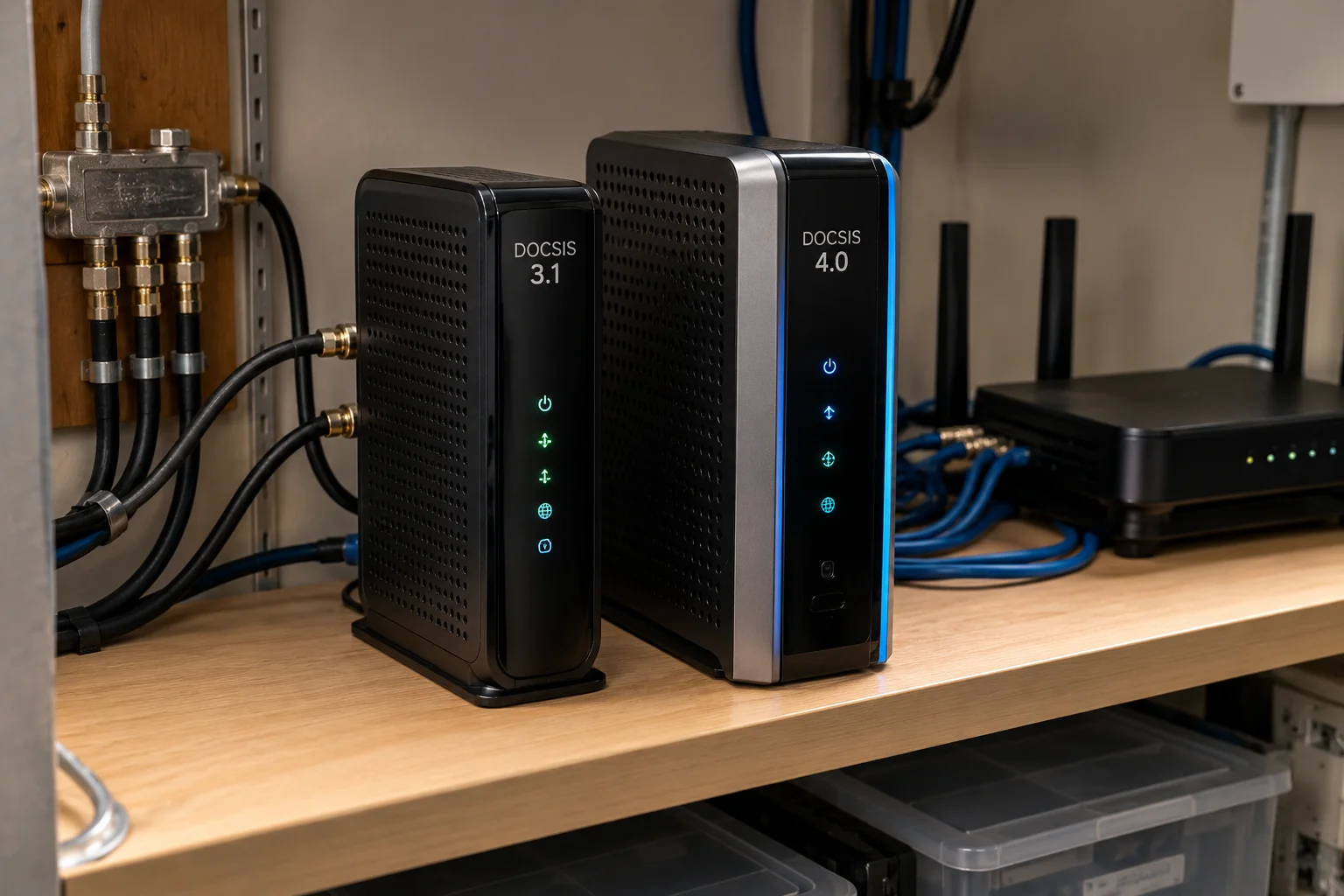
DOCSIS 4.0 is the next major step for cable internet, with its biggest advantage being dramatically higher upload capacity rather than simply faster downloads. CableLabs specifies up to 10 Gbps downstream and 6 Gbps upstream for DOCSIS 4.0, compared with up to 5 Gbps downstream and 1.5 Gbps upstream for current DOCSIS 3.1 cable modems. Actual service speeds depend on how an ISP deploys the technology.
For most cable internet customers, however, DOCSIS 3.1 remains perfectly capable in 2026. CableLabs describes DOCSIS 3.1 as the workhorse of today's HFC networks, while DOCSIS 4.0 deployments are expanding incrementally.
The upgrade becomes much more relevant if your ISP offers DOCSIS 4.0 service at your address, particularly symmetrical multi-gigabit plans. Xfinity, for example, now offers its XB10 gateway with Unified DOCSIS 4.0 and Wi-Fi 7 for eligible X-Class service.
So the real question isn't simply DOCSIS 3.1 vs DOCSIS 4.0. It is whether your internet plan and local cable network can actually take advantage of the newer standard.
What is the difference between DOCSIS 3.1 and DOCSIS 4.0?
The biggest difference is upstream capacity. DOCSIS 4.0 is designed to make much faster and more symmetrical cable internet possible.

Feature | DOCSIS 3.1 | DOCSIS 4.0 |
|---|---|---|
Maximum specified downstream | Up to 5 Gbps for current cable modems | Up to 10 Gbps |
Maximum specified upstream | Up to 1.5 Gbps | Up to 6 Gbps |
Symmetrical multi-gigabit service | Limited | Designed for it |
Technology | OFDM/OFDMA | FDX or FDD + OFDM/OFDMA |
Network status in 2026 | Widely deployed | Expanding through operator upgrades |
These are specification-level capacities, not guarantees that an individual customer will receive those speeds. CableLabs specifically notes that deployed network performance varies by implementation.
That distinction matters because buying a newer modem cannot create a faster service tier that your ISP does not offer.
Why is DOCSIS 4.0 much better for upload speeds?
DOCSIS 4.0 significantly increases the amount of upstream capacity available over cable networks.
Traditional cable internet has generally been much faster for downloads than uploads.
That's fine for streaming Netflix or downloading games. It becomes less ideal when you're regularly uploading large video files, backing up data to the cloud, livestreaming, working with remote servers or using other applications that send substantial amounts of data.
DOCSIS 4.0 addresses this through two major approaches: Full Duplex DOCSIS (FDX) and Frequency Division Duplex (FDD).
CableLabs says both approaches build on the OFDM/OFDMA technology introduced with DOCSIS 3.1 while allowing substantially more upstream capacity.
This is why the headline improvement isn't simply "10 Gbps instead of 5 Gbps."
For many households, the more noticeable change could be much faster uploads.
Does DOCSIS 4.0 give you symmetrical internet?
It can enable symmetrical multi-gigabit service, but your ISP still has to deploy the necessary network infrastructure and offer those speeds.
DOCSIS 4.0 was designed with high upstream capacity in mind.
CableLabs says the technology can support up to 10 Gbps downstream and 6 Gbps upstream, making multi-gigabit symmetrical services possible over hybrid fiber-coaxial networks.
But the modem is only one piece of the system.
Your local node, amplifiers, spectrum allocation, provisioning system and ISP service tier all have to support the technology.
This is why a DOCSIS 4.0 modem sitting on a DOCSIS 3.1 service doesn't automatically give you symmetrical gigabit internet.
Is DOCSIS 4.0 backward compatible with DOCSIS 3.1?
Yes. DOCSIS 4.0 was designed to support a gradual migration from earlier generations.
CableLabs documentation states that DOCSIS 4.0 equipment is backward compatible with previous DOCSIS generations, allowing DOCSIS 3.1 equipment to continue operating as networks are upgraded.
This is important for customers because cable operators don't have to replace every customer's equipment simultaneously.
A network can evolve incrementally.
However, compatibility does not mean that an older modem receives every benefit of the newer standard. A DOCSIS 3.1 modem can continue working on an upgraded network while remaining limited by its own capabilities and the service profile assigned to it.
Do you need a DOCSIS 4.0 modem for gigabit internet?
No. A DOCSIS 3.1 modem can support gigabit and multi-gigabit cable services, depending on the modem and ISP plan.
This is one of the easiest places to get confused.
DOCSIS 4.0 isn't required simply because you subscribe to a 1 Gbps plan.
DOCSIS 3.1 has enough capacity for many current multi-gigabit services, and CableLabs describes 3.1 technology as the workhorse supporting multigigabit tiers at scale.
The modem's exact capabilities still matter.
A DOCSIS 3.1 modem with an older Ethernet interface, for example, may become the limiting factor on a very fast service.
Before replacing your modem, check the ISP's approved-device list and the specific speed tier you're buying.
When should you upgrade to DOCSIS 4.0?
Upgrade when your ISP offers DOCSIS 4.0 service at your address and the new plan provides a meaningful benefit, particularly higher upload speeds.
There are several situations where an upgrade makes sense.
Your ISP offers symmetrical multi-gigabit service
This is probably the clearest reason.
Xfinity's current XB10 gateway combines Unified DOCSIS 4.0 with Wi-Fi 7 and is designed for its next-generation multi-gigabit service.
If your ISP has upgraded your neighborhood and your current modem cannot support the new service profile, upgrading becomes necessary.
You regularly upload large files
Video editors, photographers, streamers, content creators and people with large cloud backups can benefit more from faster uploads than someone who primarily browses and streams.
Going from a relatively slow cable upload connection to hundreds of megabits or multi-gigabit upstream service can materially change those workflows.
Your ISP requires new equipment
Some DOCSIS 4.0 services may require a compatible gateway or modem supplied by the provider.
In that situation, the decision isn't really about buying a DOCSIS 4.0 modem independently. You need the equipment that your ISP has provisioned for the service.
When should you stay with DOCSIS 3.1?
Stay with DOCSIS 3.1 if it already supports your plan and you're satisfied with your download and upload performance.
There's little reason to upgrade merely because DOCSIS 4.0 exists.
If you have a reliable DOCSIS 3.1 modem, a 500 Mbps or 1 Gbps plan and no major upload requirements, the newer standard may not change your day-to-day experience.
The same applies if DOCSIS 4.0 hasn't reached your neighborhood.
A new modem cannot make an ISP's network upgrade happen sooner.
Does DOCSIS 4.0 reduce latency?
DOCSIS 4.0 is designed to improve network performance and capacity, but a newer DOCSIS version does not automatically mean dramatically lower ping in every game or application.
Latency depends on much more than the modem standard.
Network congestion, routing, Wi-Fi, server distance, local equipment and the ISP's architecture all contribute.
DOCSIS 4.0's increased capacity can help operators manage traffic more effectively, but don't buy a DOCSIS 4.0 modem solely because you expect your gaming ping to suddenly drop.
For gaming, a wired Ethernet connection and a well-managed network can still matter considerably.
Is DOCSIS 4.0 available everywhere in 2026?
No. DOCSIS 4.0 deployment is still dependent on individual cable operators and local network upgrades.
CableLabs reported in February 2026 that DOCSIS 3.1 remained the workhorse technology while DOCSIS 4.0 interoperability and deployment efforts continued.
Xfinity is already offering DOCSIS 4.0 equipment in eligible markets, while Charter says it is evolving its network toward symmetrical and multi-gigabit service across its footprint, with the network evolution initiative expected to be completed in 2027.
This means availability can differ significantly by ISP, city and even neighborhood.
Check your address rather than assuming that a DOCSIS 4.0 plan is available simply because your provider advertises the technology.
Does your router also need an upgrade?
Possibly. Your modem can support a multi-gigabit connection while your router or Wi-Fi network becomes the bottleneck.
This is easy to overlook.
Suppose your ISP gives you a 2 Gbps connection.
If your router only has 1 Gbps Ethernet ports, you won't be able to distribute the full connection through a single standard gigabit wired link.
Wi-Fi can also become a limitation.
Xfinity's current DOCSIS 4.0 XB10 gateway combines the cable modem with Wi-Fi 7 specifically to handle next-generation multi-gigabit connectivity.
For a DOCSIS 4.0 upgrade, look at the entire home network, including the modem, router, Ethernet ports, Wi-Fi standard and client devices.
Should you buy a DOCSIS 4.0 modem now?
For most people, buy based on your current ISP plan and compatibility rather than future-proofing alone.
DOCSIS 4.0 is clearly the direction cable networks are moving toward, but the standard is still being deployed in stages.
If you're buying a modem today, check:
Your ISP's approved-device list
Your current internet tier
Maximum downstream and upstream speeds
Ethernet port speed
Whether your ISP requires specific DOCSIS 4.0 equipment
Router and Wi-Fi capabilities
Rental costs versus buying your own equipment
Xfinity and Cox both emphasize checking device compatibility and supported speed tiers before using your own modem.
DOCSIS 3.1 vs DOCSIS 4.0: Which one do you need?
DOCSIS 3.1 is still sufficient for many households, while DOCSIS 4.0 becomes relevant when your ISP offers faster symmetrical or multi-gigabit services.
The simplest way to decide is to work backward from your service.
If your ISP offers only DOCSIS 3.1-based service at your address, there is little practical reason to rush out and replace a working modem.
If your ISP offers DOCSIS 4.0 with substantially faster uploads, and your work or entertainment setup can use those speeds, the upgrade becomes much more meaningful.
The biggest change isn't the number "4.0."
It's the shift toward higher upstream capacity and multi-gigabit symmetrical connectivity.
DOCSIS 3.1 vs DOCSIS 4.0 FAQs
Is DOCSIS 4.0 faster than DOCSIS 3.1?
Yes, at the specification level. DOCSIS 4.0 supports up to 10 Gbps downstream and 6 Gbps upstream, while current DOCSIS 3.1 cable modem specifications support up to 5 Gbps downstream and 1.5 Gbps upstream.
Can a DOCSIS 3.1 modem work on a DOCSIS 4.0 network?
Yes. DOCSIS 4.0 was designed for backward compatibility with earlier DOCSIS generations.
Does DOCSIS 4.0 mean 10 Gbps internet?
Not automatically. The 10 Gbps figure is a specification-level downstream capacity. Your ISP determines the service tiers available at your address.
Is DOCSIS 4.0 worth upgrading to?
It can be if your ISP offers DOCSIS 4.0 service and you need substantially faster uploads or multi-gigabit symmetrical connectivity. Otherwise, DOCSIS 3.1 may be entirely adequate.
Will DOCSIS 4.0 replace DOCSIS 3.1 immediately?
No. Cable operators are upgrading networks incrementally, and DOCSIS 3.1 remains widely deployed.
Does DOCSIS 4.0 work with Wi-Fi 7?
DOCSIS and Wi-Fi are separate technologies. A modem can provide the internet connection while a router supplies Wi-Fi. Some modern gateways combine both technologies, such as Xfinity's DOCSIS 4.0/Wi-Fi 7 XB10.
The bottom line
Don't upgrade from DOCSIS 3.1 simply because DOCSIS 4.0 is newer. Upgrade when your ISP's DOCSIS 4.0 service provides a benefit you can actually use.
For ordinary browsing, streaming, gaming and typical home use, a good DOCSIS 3.1 modem can remain perfectly capable.
For households that upload large amounts of data, use cloud-heavy workflows or want symmetrical multi-gigabit internet, DOCSIS 4.0 is much more significant.
Before buying anything, check your ISP, address, service tier and approved hardware list. Those four details matter more than the DOCSIS number printed on the box.