
A website can have a beautiful design, useful content and a strong marketing strategy, but if pages take too long to respond, visitors may leave before they see any of it.
Website speed is influenced by many things. Images, JavaScript, CSS, third party scripts, databases and the user's internet connection can all affect the experience. But the hosting environment sits underneath the entire website, which means server performance can have a significant influence on how quickly pages begin loading.
This is where Speed Hosting becomes an important consideration.
Speed Hosting is not simply about choosing a provider that advertises a fast server. It involves understanding how quickly the server responds, where the server is located, how much processing capacity is available, how caching works and how efficiently your website communicates with visitors.
In 2026, website owners also have access to technologies such as content delivery networks, modern HTTP protocols, server side caching, optimized databases and performance monitoring tools.
Understanding how these pieces work together can help you diagnose slow websites more effectively and choose hosting based on actual performance requirements rather than marketing claims.
What Is Speed Hosting?

Speed Hosting is best understood as a hosting environment designed to reduce the time required to process and deliver website requests.
When someone enters your website address, the browser sends a request.
That request needs to reach the appropriate infrastructure, be processed by the server and receive a response. The browser then has to download and display the required resources.
Every stage can introduce some delay.
A fast hosting environment can help by providing:
• Responsive servers
• Adequate CPU and memory resources
• Fast storage
• Efficient server software
• Server side caching
• Database optimization
• CDN integration
• Modern network protocols
• Reliable infrastructure
However, hosting is only one part of the overall equation.
A powerful server cannot completely compensate for enormous images, poorly optimized code or dozens of unnecessary third party scripts.
The goal is therefore to combine good hosting with an efficient website.
Why Server Performance Matters

Imagine visiting an online store.
You click a product page.
Nothing appears immediately.
You wait.
Then the page begins loading.
Even if the page eventually becomes fast, the initial delay can make the website feel unreliable.
The same principle applies to blogs, business websites, SaaS applications and online publications.
Cloudflare's current performance documentation recommends examining origin response times when diagnosing slow websites. It notes that high origin response times can indicate that the origin server is struggling and suggests investigating hosting resources, database queries and server side caching.
This is important because website speed is not simply a front end design problem.
Sometimes the first bottleneck is the server itself.
Understanding Server Response Time
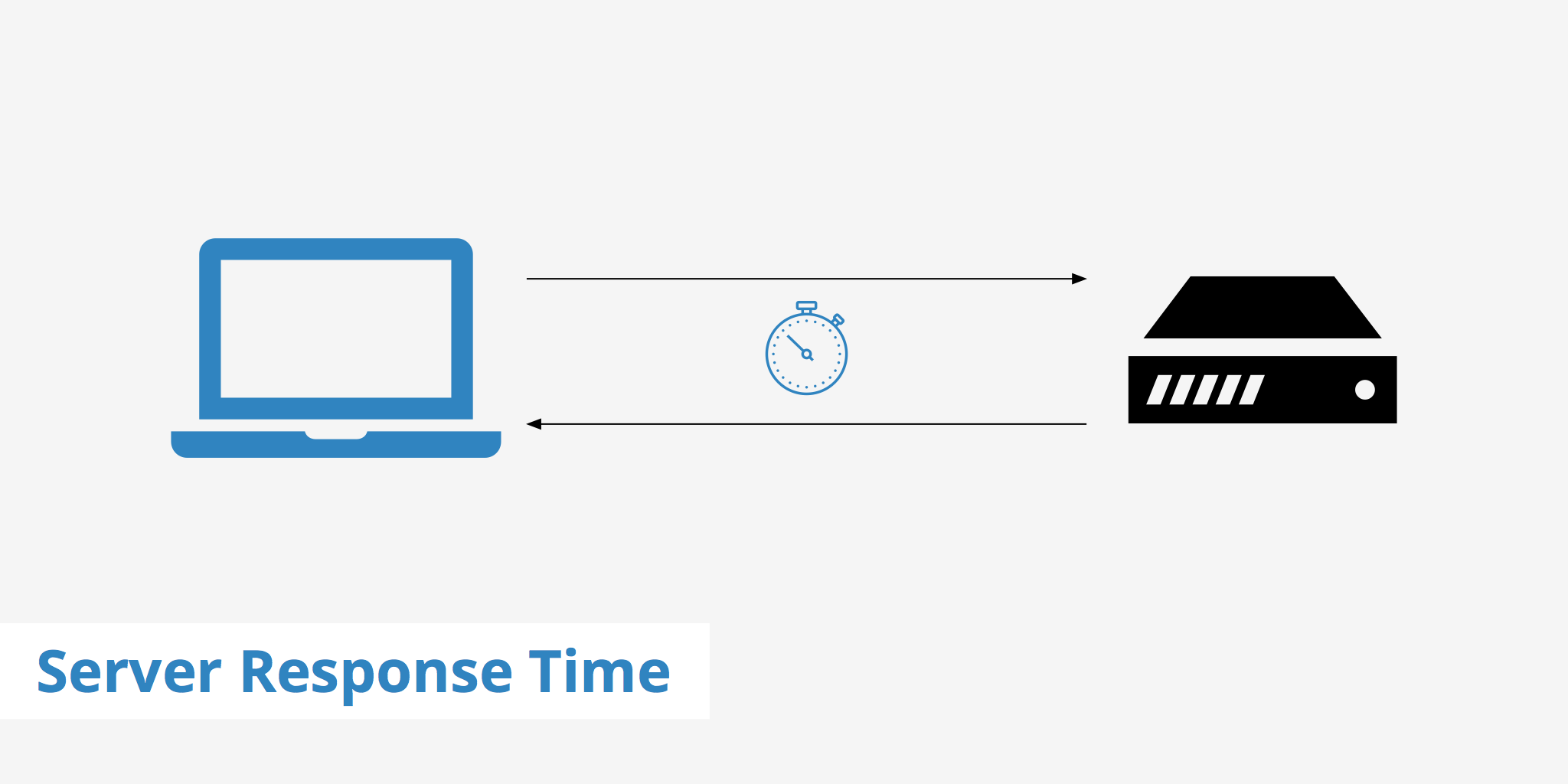
One useful concept when evaluating hosting performance is Time to First Byte, commonly called TTFB.
TTFB measures the time between a browser making a request and receiving the first byte of the response.
It includes several parts of the journey, including network activity and server processing.
Cloudflare's current troubleshooting guidance lists under 800 milliseconds as a TTFB target in its performance diagnostics. This should be treated as a useful diagnostic reference rather than a universal guarantee for every website.
A high TTFB can indicate several possible problems.
The server may be overloaded.
The application may be performing expensive database operations.
A page may not be cached.
The hosting environment may not provide enough resources.
The visitor may be geographically far from the origin.
The network route may also contribute to latency.
That is why measuring TTFB can be useful when trying to determine whether hosting is part of a speed problem.
Hosting Resources and Website Speed

Hosting plans usually provide access to resources such as CPU, RAM, storage and database capacity.
These resources influence how efficiently a website can process requests.
Consider a WordPress website with:
• A large database
• Numerous plugins
• Dynamic pages
• Logged in users
• Ecommerce functionality
• Frequent database queries
Such a website can place considerably more demand on its hosting environment than a simple five page business website.
When resources are insufficient, visitors may experience slow response times, especially during periods of higher traffic.
This does not necessarily mean the cheapest hosting plan is always slow.
It means the hosting environment needs to match the workload.
A small portfolio website may work perfectly well with modest resources.
A busy ecommerce store may require considerably more capacity.
Shared Hosting and Speed
Shared hosting places multiple websites on the same server environment.
Its major attraction is affordability and simplicity.
For a new blog, portfolio or small business website, shared hosting can be perfectly practical.
However, shared environments mean resources are distributed among multiple websites.
If a hosting environment becomes heavily loaded, performance can potentially be affected.
The important question is not whether shared hosting is automatically slow.
It is whether the particular hosting plan provides sufficient resources and maintains reliable performance for your workload.
For smaller websites, the cost and simplicity advantages can outweigh the need for more advanced infrastructure.
VPS and Cloud Hosting

As websites become more demanding, VPS and cloud hosting can provide additional resources and control.
A VPS gives a website a virtualized server environment with more predictable access to resources than many basic shared plans.
Cloud hosting can provide access to distributed infrastructure and scalable resources, depending on the provider and configuration.
These options can be useful for:
• Growing websites
• Ecommerce stores
• High traffic blogs
• Web applications
• Membership platforms
• Business critical websites
• Custom applications
However, more powerful infrastructure does not automatically make every website faster.
If the application itself is inefficient, upgrading the server may only partially solve the problem.
Hosting should therefore be considered alongside application optimization.
Why Server Location Matters

Physical distance matters because data has to travel between visitors and the infrastructure processing their requests.
If your primary audience is in India but your origin server is located far away, requests that cannot be served from a nearby cache may experience additional network latency.
This becomes particularly relevant for websites with visitors distributed across several countries.
Cloudflare explains that uncached requests travel from the visitor to the CDN and then to the origin server. It also notes that the geographic relationship between the origin and the serving data center can influence performance for uncached requests.
That does not mean your server must always be in the same country as your visitors.
A CDN can reduce the impact for many static resources.
But server location remains an important consideration for dynamic requests that have to reach the origin.
What Is a CDN?

A Content Delivery Network, or CDN, places copies of eligible website content across geographically distributed servers.
Instead of every visitor requesting static content directly from the origin server, a CDN can serve cached resources from an edge location.
Cloudflare's current documentation explains that cached content can be served from geographically distributed data centers, reducing the need for requests to travel back to the origin.
This can be particularly useful for:
• Images
• CSS files
• JavaScript
• Fonts
• Videos and other static assets
The result can be lower latency and less work for the origin server.
However, not everything should be cached.
Personalized account pages, shopping carts and certain dynamic responses may need to communicate with the origin server.
How Caching Improves Speed
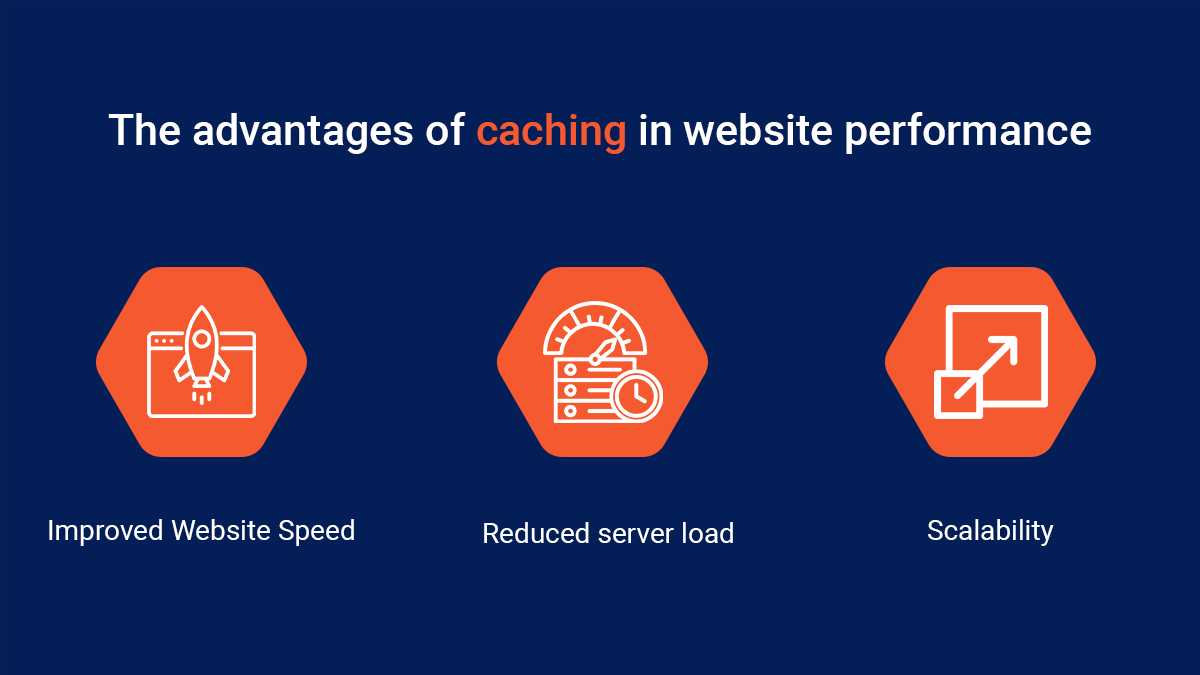
Caching is one of the most effective ways to reduce repeated processing.
Imagine that one hundred visitors request the same image.
Without caching, the origin may need to handle every request.
With appropriate caching, a CDN or caching layer can serve the stored version without contacting the origin each time.
Cloudflare notes that caching can reduce response times and origin traffic because frequently requested resources can be delivered directly from its network.
There are several forms of caching.
Browser Caching
The visitor's browser stores certain resources locally.
CDN Caching
Static resources can be stored at edge locations closer to visitors.
Server Side Caching
The hosting environment can store generated responses or data to reduce repeated processing.
Database Caching
Frequently requested database information can sometimes be stored temporarily to reduce repeated database operations.
Using caching effectively can make a significant difference, particularly for content heavy websites.
Speed Hosting and WordPress
WordPress makes it relatively easy to build websites, but performance depends heavily on how the site is configured.
A WordPress website can become slower because of:
• Too many plugins
• Poorly optimized themes
• Large images
• Excessive database queries
• Heavy scripts
• Unoptimized third party services
• Lack of caching
• Insufficient hosting resources
This means moving to a faster hosting plan is not always the first solution.
If a plugin is causing thousands of unnecessary database queries, increasing server capacity may not address the underlying issue.
A better approach is to identify the bottleneck first.
Speed Hosting for Ecommerce
Ecommerce websites deserve particular attention because performance can affect the entire shopping journey.
An online store may contain:
• Product images
• Search functions
• Filters
• Customer accounts
• Shopping carts
• Payment integrations
• Inventory systems
• Reviews
• Recommendation engines
• Marketing scripts
Many of these functions can create dynamic requests that are more difficult to cache.
This is why ecommerce businesses should look beyond storage and bandwidth.
Database performance, server resources, caching strategy, CDN support and application optimization can all become important.
A store preparing for a major sale should also consider whether its hosting infrastructure can handle a temporary increase in traffic.
Website Speed and Core Web Vitals
Website speed is not represented by a single number.
Modern performance evaluation looks at several aspects of the user experience.
Core Web Vitals include:
Largest Contentful Paint
LCP measures loading performance by looking at when the largest relevant content element becomes visible.
Interaction to Next Paint
INP measures how responsive a page is to user interactions.
Cumulative Layout Shift
CLS measures unexpected movement of page elements during loading.
These metrics help explain why a website can feel slow even when a basic speed test appears acceptable.
For example, a page may display its main content quickly but still feel frustrating if buttons do not respond promptly.
Likewise, a page can appear to load quickly but move content around while advertisements or images load.
Hosting can influence some aspects of these experiences, particularly server response time, but not every Core Web Vital problem is caused by the host.
How Images Affect Website Speed
Images are among the most common reasons websites become unnecessarily heavy.
A high resolution photograph can be several megabytes even though it appears much smaller on a smartphone.
Useful optimization techniques include:
• Compressing images
• Choosing appropriate dimensions
• Using modern formats such as WebP or AVIF
• Serving responsive image sizes
• Lazy loading below the fold images
• Avoiding unnecessary background images
Cloudflare currently offers image transformation capabilities that can resize and optimize images for different devices and delivery requirements.
The lesson is simple.
Do not expect hosting alone to solve oversized media.
A fast server still has to deliver the files your website asks it to deliver.
How Code Affects Hosting Performance
A website can have excellent hosting and still perform poorly because of inefficient code.
JavaScript can consume browser processing resources.
Large CSS files can delay rendering.
Third party scripts can create additional network requests.
Poorly optimized database queries can increase server processing time.
Cloudflare's current slow website guidance recommends using browser developer tools to identify slow resources, including large media, API calls, third party scripts and render blocking resources.
This is why speed optimization should involve both the hosting environment and the website itself.
HTTP/2 and HTTP/3
Modern web protocols can improve how browsers communicate with servers.
HTTP/2 introduced improvements such as multiplexing multiple requests over a single connection.
HTTP/3 uses QUIC and can provide additional improvements for certain network conditions.
Cloudflare's current performance documentation recommends modern protocols such as HTTP/2 and HTTP/3 as part of website performance optimization.
When evaluating hosting, it is therefore useful to check whether the provider supports modern protocols and whether they are enabled appropriately.
How Traffic Spikes Affect Website Speed
A website can be fast during normal traffic and slow when visitor numbers suddenly increase.
Imagine a blog article being shared by a large publication.
Traffic that normally consists of a few hundred visitors could suddenly become several thousand.
If the hosting environment has limited resources, the server may struggle to process the additional requests.
This can lead to:
• Slower responses
• Higher error rates
• Timeouts
• Increased CPU usage
• Database congestion
• Temporary unavailability
CDNs and caching can reduce some of this pressure because cached resources do not need to reach the origin every time. Cloudflare explains that caching can reduce origin traffic and server load by serving content from its distributed network.
For businesses running promotions or seasonal campaigns, scalability should therefore be part of the hosting decision.
How to Test Whether Hosting Is the Problem
Before upgrading hosting, investigate the problem.
A useful troubleshooting process is:
Step One: Test the Website
Run performance tests from more than one location or testing environment.
Step Two: Examine TTFB
A consistently high TTFB can point toward server or network related delays.
Step Three: Inspect Page Resources
Look for unusually large images, scripts, API requests or third party resources.
Step Four: Check Hosting Resources
Look at CPU, memory, database and other available resource metrics.
Step Five: Review Caching
Check whether static resources are being cached effectively.
Step Six: Test at Different Times
A website that slows down only during certain periods may be experiencing resource or traffic related issues.
Step Seven: Compare Before and After
Make one meaningful change at a time and measure the result.
Cloudflare's current troubleshooting workflow similarly recommends checking page resources, origin response time, caching and network routing rather than assuming the hosting provider is automatically responsible.
Speed Hosting Checklist
When comparing hosting providers, look for:
Fast storage
SSD or NVMe based infrastructure can help reduce storage and database latency compared with older storage technologies.
Adequate resources
Check CPU and memory allocations rather than focusing only on storage.
Caching
Find out whether server side caching is included.
CDN support
A CDN can reduce the distance that cached assets need to travel.
Data center choices
Choose infrastructure that makes sense for your primary audience.
Scalability
Make sure there is a clear upgrade path.
Monitoring
Performance monitoring can help identify problems before they become major issues.
Backups
Speed should never come at the expense of recoverability.
Technical support
When something goes wrong, knowledgeable support can save significant time.
Speed Hosting vs Website Optimization
It is tempting to think that upgrading hosting will make every website faster.
That is not always the case.
Consider two websites.
Website A has modest hosting but compressed images, efficient code, good caching and a lightweight theme.
Website B has powerful hosting but huge images, unnecessary plugins, multiple tracking scripts and inefficient database queries.
Website A could easily feel faster.
This illustrates an important principle.
Hosting provides the foundation. Website optimization determines how efficiently that foundation is used.
The strongest results usually come from improving both.
When Should You Upgrade Your Hosting?
An upgrade may make sense when you repeatedly see signs such as:
• High CPU usage
• Memory limits being reached
• Slow server response times
• Database performance problems
• Traffic related slowdowns
• Frequent resource warnings
• Increasing timeouts
• Performance degradation during peak periods
However, diagnose the cause before upgrading.
If a poorly written plugin is responsible for excessive CPU consumption, moving to a more expensive server may only hide the problem temporarily.
How to Choose Hosting for a Fast Website
When comparing hosting providers, ask practical questions.
Where Are the Servers?
Choose infrastructure that makes sense for your audience.
What Resources Are Included?
Look beyond storage and bandwidth.
Is Caching Available?
Caching can significantly reduce repeated requests to the origin.
Is a CDN Included?
A CDN can help distribute static content geographically.
Can the Website Scale?
Your hosting requirements may change as traffic grows.
How Is Performance Monitored?
Useful metrics can help you identify problems.
What Support Is Available?
Technical assistance can matter when diagnosing performance problems.
What Happens During Traffic Spikes?
Understand the provider's resource limits and scaling options.
What Is the Total Cost?
Consider renewal prices, CDN charges, backups and additional resources.
The Future of Speed Hosting
Hosting is becoming increasingly intelligent.
Modern platforms can combine infrastructure monitoring, caching, CDN delivery, automated optimization and AI assisted troubleshooting.
The future of Speed Hosting is therefore likely to involve more automated performance management.
Instead of simply reporting that a website is slow, hosting platforms may increasingly help identify why.
An intelligent system could potentially recognize a sudden increase in database load, identify an unusual traffic pattern or recommend caching changes.
Cloudflare already provides performance tools that combine synthetic testing, real user data and origin analytics to help website owners identify performance problems.
However, automation does not remove the need for good website architecture.
The fastest infrastructure in the world cannot compensate for an inefficient application indefinitely.
Final Thoughts
Website speed begins with the entire technology stack.
Hosting is one of the most important layers because the server must process requests before browsers can receive the information they need.
Good Speed Hosting can provide responsive infrastructure, sufficient resources, caching, modern protocols and useful scalability.
But server performance is only part of the story.
Images need optimization.
Code needs to be efficient.
Databases need to be maintained.
Third party scripts should be evaluated.
Caching should be configured appropriately.
CDNs can help bring frequently requested content closer to visitors.
And performance should be measured rather than assumed.
When a website becomes slow, the answer is not always “buy better hosting.”
Sometimes the server is overloaded.
Sometimes the database is the problem.
Sometimes an enormous image is responsible.
Sometimes a third party script is blocking the page.
Sometimes the issue is network latency.
The most effective approach is to measure first and optimize based on evidence.
For website owners in 2026, the goal should not simply be the fastest server available.
It should be a balanced setup where reliable hosting, efficient code, intelligent caching, optimized media and a well designed delivery network work together.
That is what creates a website that feels fast to real visitors.
Frequently Asked Questions
What is Speed Hosting?
Speed Hosting refers to hosting environments designed to provide responsive server performance and efficient website delivery. It can involve fast infrastructure, caching, CDN integration, modern protocols and sufficient computing resources.
Does hosting affect website speed?
Yes. Hosting can affect server response time, resource availability, database processing and the ability of a website to handle traffic. However, website code, images, scripts and network conditions also influence overall performance.
What is TTFB?
Time to First Byte measures how long it takes for the first byte of a response to reach the browser after a request is made. It can be useful for identifying server and network related delays.
What is a good TTFB?
There is no single number that guarantees a fast website. Cloudflare's current performance guidance uses under 800 milliseconds as a TTFB reference in its diagnostic tooling.
Does a CDN make a website faster?
A CDN can improve performance by serving cached content from locations closer to visitors, reducing the need for every request to travel to the origin server.
Is shared hosting slow?
Not necessarily. Shared hosting can perform well for smaller websites when resources are sufficient. Performance can vary depending on the provider, workload, configuration and resource limits.
Is VPS hosting faster than shared hosting?
A VPS can provide more predictable resources and greater control, but simply moving to a VPS does not guarantee a faster website. Application optimization and configuration still matter.
Does server location affect website speed?
Yes, particularly for requests that need to reach the origin server. Greater geographic distance can increase network latency. CDNs can reduce the impact for cached content.
Can better hosting improve Core Web Vitals?
It can help with aspects such as server response time, but Core Web Vitals are affected by many factors. Images, JavaScript, layout behavior, third party resources and frontend code can all influence the results.
Should I upgrade hosting if my website is slow?
Not immediately. First identify whether the problem is caused by server resources, database queries, caching, images, scripts or another part of the website. Cloudflare's current troubleshooting guidance recommends examining origin response time and individual resources before deciding on an upgrade.
How can I make my website faster without changing hosting?
Optimize images, reduce unnecessary scripts, enable appropriate caching, use a CDN, improve database queries, remove unnecessary plugins and optimize frontend code.
What should I look for in Speed Hosting?
Look for responsive infrastructure, adequate CPU and memory resources, fast storage, caching, CDN support, suitable server locations, scalability, monitoring, backups and reliable technical support.