A modern household can have a surprising number of devices connected to the internet.
There may be a smartphone on the kitchen counter, a laptop on the desk, a tablet in a bedroom, a smart TV in the living room, and several other connected devices working quietly in the background. Each one can access online services, communicate with remote servers, and transmit data across the internet.
That creates an important question for anyone who wants more control over their online privacy: Can one VPN protect multiple devices at the same time?
The answer is often yes, depending on the VPN provider and subscription.
Modern VPN services increasingly support multiple device types, including phones, computers, tablets, streaming devices, and smart TVs. Instead of treating privacy as something limited to one computer, multi device VPN services are designed around the way people actually use the internet today.
Understanding how this works can help users choose a VPN plan more carefully and avoid common misconceptions about what a VPN can and cannot protect.
What Is a VPN?
VPN stands for Virtual Private Network.
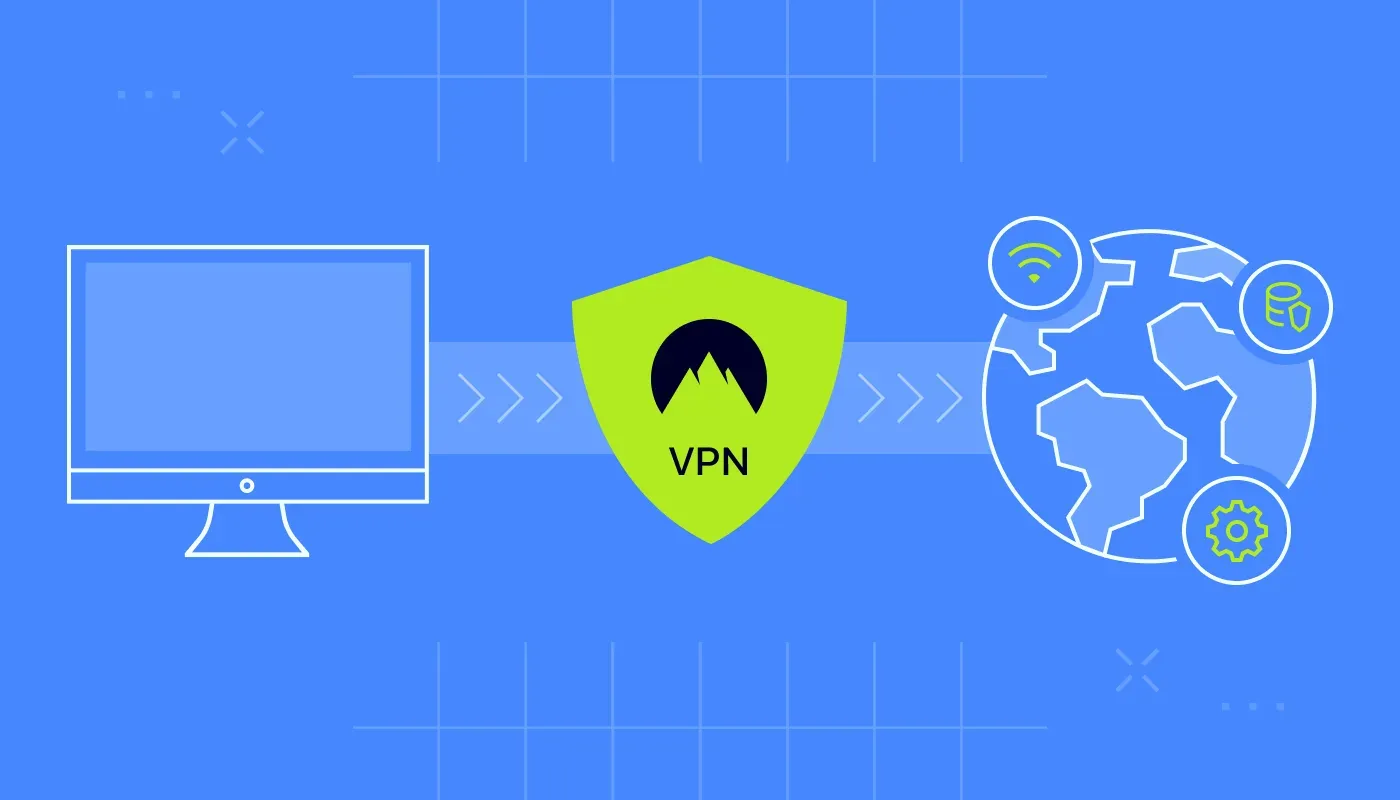
A VPN creates an encrypted connection between a device and a VPN server. Instead of sending internet traffic directly from the device to websites and online services, the traffic is routed through the VPN connection.
This can help protect the contents of internet traffic from certain forms of network observation, particularly when using networks where other parties may be able to monitor traffic.
A VPN can also make websites and online services see the VPN server's IP address instead of the device's usual public IP address.
The important distinction is that a VPN is a privacy and network security tool, not a complete online security solution.
It does not automatically make every website trustworthy, prevent every form of tracking, eliminate malware, or protect accounts if someone has obtained the user's password.
Why Multi Device VPN Protection Matters
People rarely use just one device.
A typical digital routine might look something like this:
You check messages on your phone in the morning, work from a laptop during the day, browse the web on a tablet in the evening, and watch streaming content through a smart TV at night.
If a VPN is installed only on the laptop, the other devices continue connecting to the internet normally.
This is why multi device support has become an important VPN feature.
Instead of buying separate subscriptions for every device, some providers allow one account to protect multiple supported devices under a single plan.
The exact number varies between providers and subscription tiers, so it is worth checking the provider's current device policy before purchasing.
How a VPN Works Across Different Devices
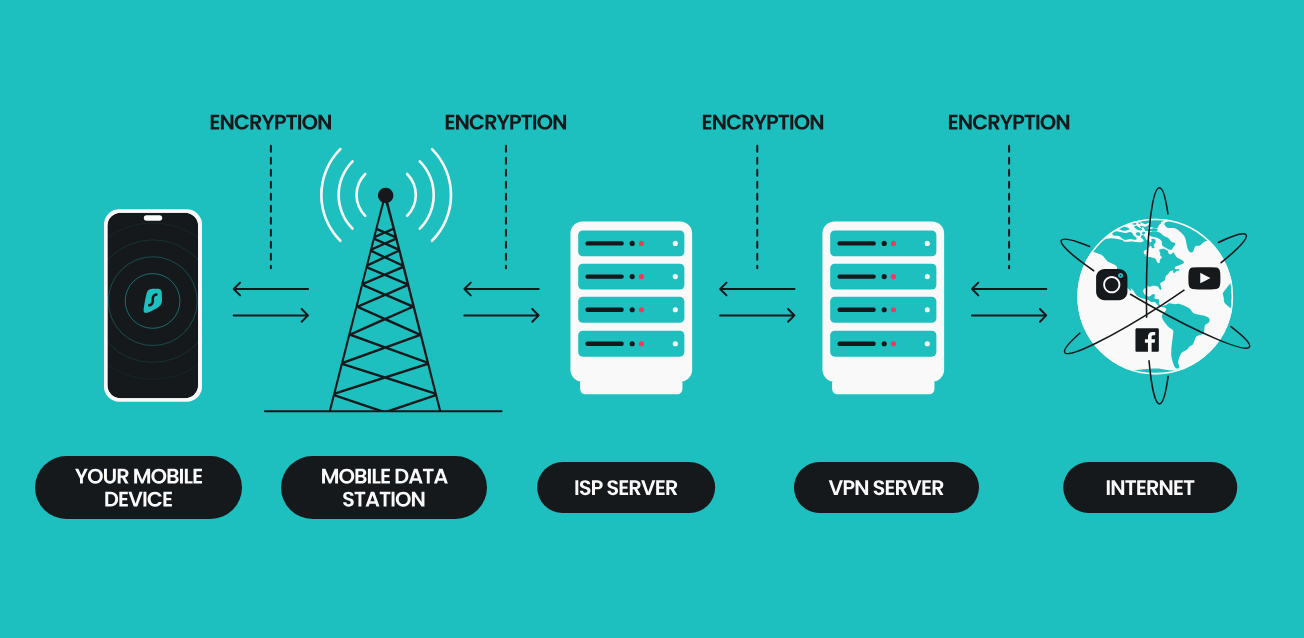
The basic principle is similar regardless of the device.
A VPN application establishes a secure connection between the device and a VPN server.
For example, a laptop might connect to a VPN server in the United States while a smartphone on the same account connects to another available server.
Each device can establish its own VPN connection.
The provider's infrastructure handles the connections separately while the account manages access according to the subscription's device limits and policies.
This means multi device VPN support does not necessarily mean every device has to use exactly the same server.
Users may be able to select different server locations depending on their needs, although available features differ by provider.
VPN Protection on Smartphones
Smartphones are among the most important devices to protect because they are frequently connected to different networks.
A phone might use home Wi Fi in the morning, a workplace network later, public Wi Fi at a café, and mobile data while traveling.
A VPN application can create an encrypted VPN connection when the device connects through supported networks.
Many mobile VPN applications also provide features designed for convenience.
Depending on the provider, these may include:
• Automatic connection
• Server selection
• Quick connect
• Network based connection rules
• Kill switch functionality
• Protocol selection
• Split tunneling on supported platforms
Automatic connection can be particularly useful because it reduces the need to remember to activate the VPN manually.
However, users should still review the application's settings and understand which networks trigger VPN protection.
VPN Protection on Laptops
Laptops often contain more sensitive information than phones because they are used for work, financial tasks, documents, customer information, and other activities.
A VPN application can protect network traffic between the laptop and the VPN server.
This can be useful when employees work outside the office, especially when connecting through networks they do not control.
A laptop VPN can also provide additional privacy when browsing from shared networks.
However, businesses should remember that VPN protection is only one component of workplace security.
Companies may also need:
• Endpoint security
• Multi factor authentication
• Password managers
• Device encryption
• Secure backups
• Access controls
• Security monitoring
A VPN should therefore be viewed as one layer in a broader security strategy.
Using a VPN on Smart TVs
Smart TVs introduce a different challenge.
Unlike smartphones and laptops, not every smart TV platform supports native VPN applications.
Some providers offer dedicated applications for supported smart TV operating systems. Others may require the VPN connection to be established through a compatible router or another supported method.
This makes compatibility particularly important.
Before choosing a VPN for a smart TV, check:
• Whether the TV operating system is supported
• Whether the VPN provider offers a dedicated TV application
• Whether the provider supports the relevant streaming device
• Whether router installation is available
• How many devices the subscription supports
• Which VPN protocols are available
Installing a VPN directly on a supported smart TV can be relatively straightforward.
If the TV does not support a VPN application, configuring a compatible router can provide another approach.
Router Based VPN Protection
A router based VPN works differently from installing an application on every device.
When the VPN is configured on a compatible router, devices connected through that router can potentially send their internet traffic through the VPN connection.
This can be useful for devices that do not support VPN applications directly.
For example, a household might have a smart TV, gaming console, streaming device, and other connected equipment that cannot run a conventional VPN application.
A router based VPN can provide a central point for the connection.
However, router installation can be more technically involved than installing an application.
There can also be limitations around VPN protocols, router performance, device specific routing, and local network configuration.
Users should therefore check the VPN provider's router support documentation before attempting installation.
VPN Apps vs VPN on a Router
Both approaches have advantages.
Feature | VPN application | Router based VPN |
|---|---|---|
Installation | Usually simpler | Can require technical configuration |
Device control | Individual device | Network level |
Smart TV compatibility | Depends on TV platform | Can support devices connected to router |
Server switching | Usually convenient | May require router configuration |
Device specific settings | More flexible | More centralized |
Setup effort | Generally lower | Can be higher |
For most people, a VPN application is the simpler option when the device is directly supported.
A router based setup becomes more interesting when the household has many connected devices or devices that cannot install VPN applications.
What Happens When Multiple Devices Use One VPN Account?
A multi device VPN subscription generally works by associating multiple device connections with one account.
The provider determines how many simultaneous connections are allowed.
For example, one subscription might allow several devices to connect at the same time.
That means a user could potentially have the VPN active on a phone, laptop, tablet, and smart TV without purchasing separate subscriptions for every device.
However, providers use different definitions and policies.
Some specify a number of simultaneous connections.
Others may allow multiple registered devices while applying separate limits to active connections.
It is therefore important to read the current subscription terms instead of assuming that every VPN provider handles devices in exactly the same way.
Does a VPN Slow Down the Internet?
A VPN can affect internet performance because traffic is routed through an additional server and encrypted before reaching its destination.
The amount of impact can vary considerably.
Factors include:
• Distance to the VPN server
• Server capacity
• Encryption protocol
• Network congestion
• Internet service quality
• Device performance
• VPN provider infrastructure
Modern VPN protocols are designed to improve performance and reduce unnecessary overhead, but no VPN can guarantee identical speeds to an unprotected connection in every situation.
For everyday browsing, the difference may be relatively small depending on the network and provider.
For high bandwidth activities, server selection and connection quality can become more noticeable.
VPNs and Streaming on Smart TVs
Smart TV VPN use is often associated with streaming.
A VPN can change the apparent IP address associated with a connection, but that does not mean every streaming service will work with every VPN server.
Streaming platforms may use different methods to determine location and may restrict content according to licensing arrangements.
Some services may block or limit access when they detect VPN or proxy traffic.
Users should therefore check the terms and technical requirements of the streaming service they use.
A VPN should not be presented as a guarantee that every catalog, service, or location based feature will be accessible.
VPN Privacy: What a VPN Can and Cannot Hide
One of the most important things to understand about a VPN is that it changes where internet traffic is routed and who can observe certain parts of that connection.
It does not make a user anonymous.
For example, websites can still collect information through cookies, account logins, browser characteristics, tracking technologies, and other methods.
If someone logs into an online account, the service can still associate activity with that account.
A VPN also does not protect a user from phishing if they voluntarily enter credentials into a fraudulent website.
The most accurate way to think about VPN protection is as one privacy and security layer.
It can help protect network traffic, conceal the user's normal public IP address from websites, and provide additional privacy on certain networks.
It works best alongside other security practices.
Choosing a Multi Device VPN
When comparing VPN services, device count should be only one consideration.
Look at the complete package.
Supported Devices
Check whether the VPN supports the operating systems and devices you actually use.
Simultaneous Connections
Confirm how many devices can actively use the subscription at the same time.
Smart TV Support
If television protection matters, check whether the specific TV platform is supported.
Router Support
Router compatibility can be important for devices that cannot run VPN applications.
Security Features
Look for features such as a kill switch, modern VPN protocols, DNS leak protection, and appropriate encryption.
Privacy Policy
Read how the provider describes data collection, logging, account information, and other privacy practices.
Server Network
Consider the locations available in the countries and regions relevant to your usage.
Performance
Look for independent testing and current information about connection speeds and reliability rather than relying entirely on marketing claims.
Customer Support
Clear setup guides and responsive support can make a difference when configuring VPN applications on multiple devices.
A Practical Multi Device Setup
Consider a household with four common devices.
The smartphone uses a VPN application for mobile browsing.
The laptop uses a desktop VPN application for work and general browsing.
The smart TV uses a supported VPN application or a VPN enabled router.
A tablet uses the same VPN account through its own application.
Each device can connect independently, subject to the provider's device and connection limits.
The advantage is simplicity.
The user does not need to maintain completely separate VPN subscriptions for every device.
At the same time, each device can have different settings based on how it is used.
For example, a laptop might use a particular server location for work, while a smartphone automatically connects whenever it joins an unfamiliar Wi Fi network.
Common VPN Mistakes to Avoid
Even a reputable VPN can be less useful if it is poorly configured.
Common mistakes include:
Assuming VPN Means Complete Security
A VPN does not replace antivirus protection, secure passwords, multi factor authentication, software updates, or cautious browsing.
Ignoring Device Limits
A subscription that supports several simultaneous connections may not support unlimited active devices.
Forgetting About Smart TV Compatibility
Not every smart TV can install every VPN application.
Using an Untrusted Free VPN
Some free VPN services may have different business models, restrictions, advertising practices, or data collection policies. Users should understand how a provider funds its service before trusting it with network traffic.
Never Checking Settings
Features such as automatic connection and kill switch behavior can vary between operating systems and applications.
Assuming Every Website Will See the Same Location
VPN routing can change the apparent IP based location, but websites can use additional signals to determine location.
The Future of Multi Device VPN Protection
As households become more connected, VPN services are likely to continue expanding beyond traditional computers and phones.
Smart TVs, streaming devices, tablets, routers, gaming systems, and other connected products can all become part of a household's internet environment.
The challenge is making security simple enough that people can actually use it consistently.
Future VPN applications may increasingly rely on automatic network detection, smarter routing, device specific settings, and simpler centralized management.
For households with many connected devices, router based protection may also remain useful because it can provide a network level layer without requiring an individual application on every device.
The fundamental principle, however, is unlikely to change.
A VPN provides an encrypted connection between a device or network and a VPN server. The goal is to provide an additional layer of privacy and security while people use the internet.
Final Thoughts
A VPN is no longer something that only makes sense on a work laptop.
Phones, laptops, tablets, smart TVs, routers, and other connected devices have all become part of the modern digital environment. Multi device VPN support reflects that reality.
For households and remote workers, the most useful setup depends on the devices involved and the level of control required.
A VPN application can provide convenient protection for supported devices. A router based VPN can extend protection to devices that do not support native applications. A multi device subscription can make managing several compatible devices more convenient.
The important thing is to understand the limits.
A VPN can provide an additional layer of network privacy and security, but it does not make someone completely anonymous or eliminate the need for good cybersecurity habits.
When users understand how the technology works, check device compatibility, review privacy policies, and choose a service that fits their actual requirements, multi device VPN protection can become a practical part of a broader digital privacy strategy.
Frequently Asked Questions
Can one VPN protect a phone and laptop at the same time?
Many VPN services allow multiple simultaneous connections under one subscription. The exact number depends on the provider and plan.
Can I use a VPN on a smart TV?
Some smart TVs and streaming platforms support VPN applications directly. Others may require a compatible router or another supported configuration.
Does a VPN protect all devices connected to Wi Fi?
Not automatically. Installing a VPN application on one device generally protects that device's connection. A compatible VPN configured at the router level can potentially cover devices connected through that network.
Does a VPN hide my IP address?
A VPN generally makes websites see the VPN server's public IP address rather than the user's normal public IP address. However, other information can still reveal aspects of a user's identity or location.
Can a VPN improve online security?
A VPN can provide encrypted network traffic between the device and VPN server and can add privacy when using certain networks. It does not replace other security measures such as strong passwords, multi factor authentication, software updates, and malware protection.
Does a VPN slow down internet speed?
It can. Encryption and routing through a VPN server can introduce some overhead. The effect depends on factors such as server distance, network congestion, protocol, device, and provider infrastructure.
Is a VPN enough to stay anonymous online?
No. A VPN is a privacy tool, not a complete anonymity solution. Websites and online services can still use accounts, cookies, tracking technologies, browser information, and other signals.