
Artificial intelligence used to feel mostly text based. You typed a question, received an answer, and continued the conversation from there. Today, that experience has changed significantly.
Modern AI Tools can increasingly work across different types of information, including written text, photographs, documents, speech, music, graphics and video. Instead of treating each format as a separate task, multimodal AI can connect information from several formats and use them together.
That opens up interesting possibilities for students, creators, businesses and everyday users.
You might upload a product photograph and ask AI to describe it. You could provide a document and ask questions about its contents. A business owner might record a meeting and turn the conversation into notes. A creator could start with a written idea and develop it into visual or video content.
The important question is no longer simply what AI can write.
It is what can happen when different types of information work together.
What Is Multimodal AI?
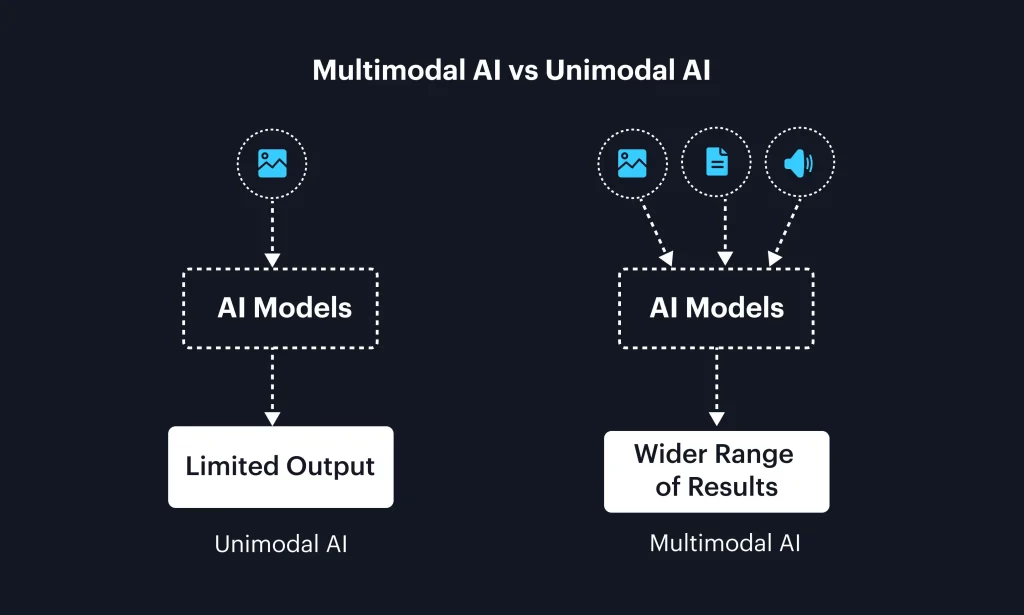
Multimodal AI refers to artificial intelligence systems that can understand or generate information in multiple formats, often called modalities.
These can include:
• Text
• Images
• Audio
• Video
• Documents
• Charts and diagrams
Traditional software often treats these formats separately. Multimodal systems are designed to connect them.
For example, imagine uploading a photograph of a damaged product along with a written description of the problem. An AI system could potentially examine the image, understand your explanation and help organize the information into a customer support response.
That combination is what makes multimodal AI particularly interesting.
How Text Based AI Has Evolved
Text remains one of the most widely used forms of AI interaction.
Modern AI Tools can help users brainstorm ideas, summarize information, rewrite documents, answer questions, generate outlines and work through complex instructions.
For businesses, text AI can assist with:
• Emails
• Product descriptions
• Reports
• Customer support
• Marketing content
• Research summaries
• Meeting notes
• Internal documentation
For students, it can help explain difficult concepts, organize notes, create study questions and summarize lengthy material.
However, text is increasingly becoming just one part of the interaction.
The next step is combining text with other forms of information.
Image AI: Understanding and Creating Visual Information

Images give AI another layer of context.
Instead of describing a photograph manually, users can increasingly provide the image itself and ask questions about what it contains.
For example, someone might upload a picture of a household appliance and ask what the visible controls appear to do. A student could provide a diagram and ask for an explanation. A business could analyze product photographs while preparing catalog information.
Image generation is another major area.
Users can describe an idea in words and create an image based on that description. This can support:
• Marketing concepts
• Presentation graphics
• Storyboards
• Social media content
• Product concept visualization
• Educational illustrations
• Creative experimentation
The important distinction is that image AI can involve both understanding existing images and generating new ones.
What Image AI Still Requires From People

Visual AI can be impressive, but it is not automatically reliable.
Small details can be misunderstood. Generated images may contain inaccuracies. Text inside generated graphics can sometimes require correction. A visually convincing image can also communicate something unintended.
For professional work, human review remains important.
The best workflow is often to use AI for exploration and production assistance, then apply human judgment before publishing.
Audio AI: From Speech Recognition to Voice Creation
Audio is another major area of multimodal development.
Speech recognition allows AI systems to turn spoken language into text. This can make meetings, interviews, lectures and conversations easier to document.
A simple workflow could look like this:
Record a conversation
↓
Convert speech into text
↓
Summarize the important points
↓
Create action items
↓
Review and share
This can save considerable time compared with manually writing notes.
AI can also work with spoken instructions. Instead of typing a long prompt, users can communicate naturally through voice.
For people who spend much of their day driving, walking, presenting or moving between meetings, voice interaction can make AI easier to incorporate into everyday routines.
Voice Generation and Synthetic Speech
AI can also generate spoken audio from text.
This has applications in:
• Educational material
• Accessibility
• Narration
• Product demonstrations
• Training content
• Video production
• Interactive experiences
Voice technology also introduces important questions around consent, identity and misuse. Businesses and creators should make sure they have appropriate permission before using someone's recognizable voice or creating content that could be mistaken for authentic speech.
Video AI Is Moving Beyond Simple Editing
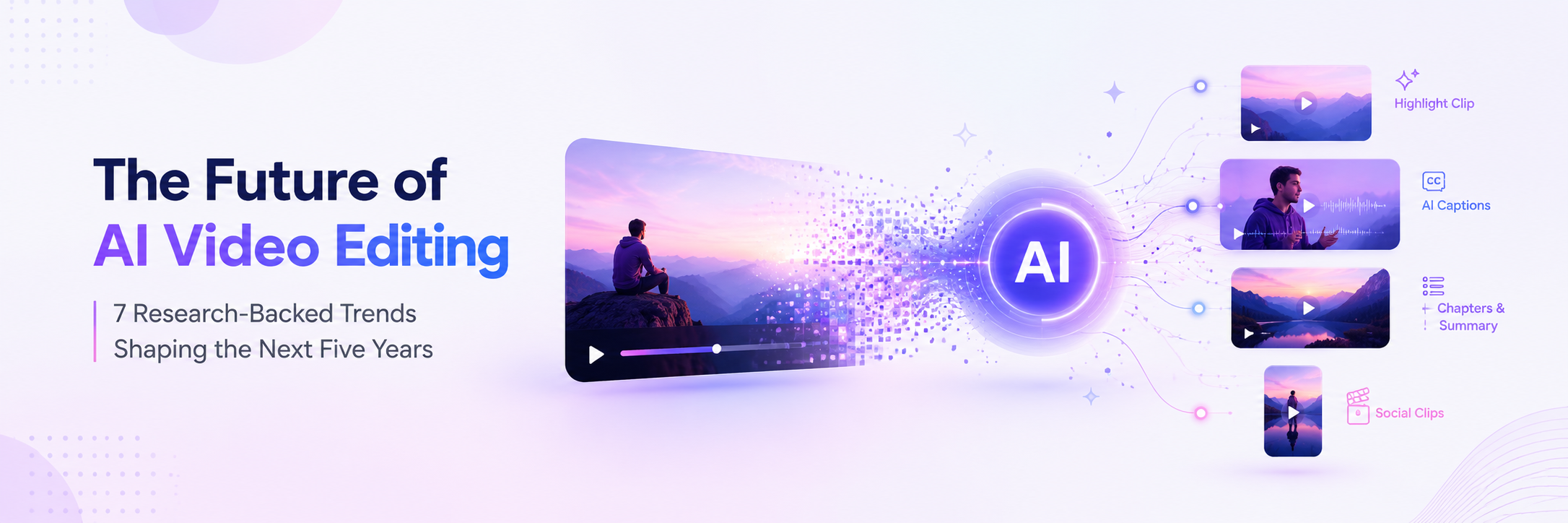
Video is one of the more complex forms of digital media because it combines images, movement, sound, timing and often dialogue.
AI Tools can now assist with several stages of video production.
These include:
• Generating visual concepts
• Creating short video sequences
• Editing footage
• Producing captions
• Removing or modifying elements
• Creating voiceovers
• Summarizing videos
• Converting long content into shorter formats
For a small business, this could mean turning a product explanation into a short social video.
For an educator, a long lesson could potentially be repurposed into shorter learning materials.
For a creator, AI can help with repetitive production tasks while leaving the creative direction under human control.
Why Multimodal AI Is Different
Using several AI capabilities separately is useful.
Connecting them is where things become more interesting.
Consider a small online retailer preparing a new product campaign.
The business might provide:
• A product photograph
• Product specifications
• Customer feedback
• A written campaign idea
• A short product demonstration video
A multimodal AI workflow could potentially help analyze those materials, identify useful themes, draft promotional copy and suggest visual or video concepts.
Instead of starting each task from zero, the information can become connected.
That can reduce repetitive work.
Multimodal AI for Small Businesses

Small businesses are particularly interesting users of multimodal AI because a single person may handle marketing, customer communication, research and content creation.
A restaurant owner, for example, might photograph a new menu item and provide a few notes about its ingredients and preparation. AI could help turn that information into a description, social media ideas and promotional copy.
A property professional could provide photographs and property details and use AI to organize listing information.
A consultant could record a client meeting, generate a transcript, summarize the discussion and create a list of follow up tasks.
The technology does not replace the business owner's expertise. It helps move information between different stages of the workflow.
Multimodal AI for Students
Students can also benefit from combining different formats.
Imagine studying a science topic with:
• A textbook chapter
• A diagram
• Lecture notes
• A recorded explanation
• Practice questions
Instead of studying each item independently, multimodal AI can potentially help connect them.
A student could ask for an explanation of a diagram using simpler language or generate practice questions from provided notes.
There is an important distinction, however.
Using AI to understand material is different from using it to complete academic work dishonestly. Students should follow the rules of their school, university or course.
Multimodal AI for Content Creators
Content creators often move between writing, photography, audio and video throughout the day.
Multimodal AI can help connect those stages.
For example:
Idea
A creator describes a video concept.
Script
AI helps organize the idea into a structured script.
Visual planning
The creator develops image or storyboard concepts.
Production
AI assists with selected editing or generation tasks.
Audio
Voiceover, transcription or captioning tools help prepare the sound layer.
Repurposing
The finished video can be turned into shorter written or visual content.
The creator still determines the message, personality and creative direction.
Multimodal AI and Accessibility
One of the most meaningful applications of multimodal technology is accessibility.
Text can be converted into speech.
Speech can be converted into text.
Images can be described using AI generated explanations.
Complex information can potentially be presented in alternative formats.
For someone who finds one form of information difficult to access, the ability to move between formats can make digital content more flexible.
That does not mean AI generated descriptions or transcriptions are always perfect. Important information should still be checked, particularly when accuracy matters.
What Can Multimodal AI Actually Do Now?
The easiest way to understand the current possibilities is to look at the interaction between formats.
Input | AI can potentially help with | Useful output |
|---|---|---|
Text | Summarization and analysis | Summary or report |
Image | Description and interpretation | Explanation or structured information |
Audio | Transcription and analysis | Notes or action items |
Video | Understanding and editing assistance | Summary or content ideas |
Text plus image | Combined analysis | Written explanation |
Audio plus text | Meeting workflows | Transcript and tasks |
Image plus text | Content creation | Marketing or product copy |
Video plus audio | Repurposing | Captions, summaries and clips |
These capabilities vary between products and can change quickly as models improve.
Choosing the Right AI Tools
With so many AI Tools available, it can be tempting to subscribe to several services immediately.
A better approach is to begin with the task.
Ask yourself:
• What type of information do I work with most often?
• Do I mainly need writing support?
• Do I regularly work with photographs?
• Would voice interaction save time?
• Do I create videos?
• Do I need to connect several formats?
• Which tools already fit into my existing workflow?
For many people, one capable multimodal assistant may cover several everyday needs. Specialized tools can then be added when they offer a meaningful advantage.
What Are the Limitations?
Multimodal AI is powerful, but it is not the same as human understanding.
AI systems can misunderstand images, misinterpret speech, overlook context or produce information that sounds convincing but is incorrect.
This matters particularly when working with:
• Financial information
• Legal documents
• Medical information
• Business contracts
• Private customer information
• Confidential company material
Human verification remains essential for important decisions.
Privacy should also be considered. Before uploading documents, recordings, images or other sensitive material, check how the service handles user data and what controls are available for your account.
The Future of Multimodal AI
The long term direction appears to be toward more natural interaction.
Instead of opening separate applications for text, images, audio and video, users may increasingly communicate with AI through whichever format is most convenient at the moment.
You could speak a question, show the system an image, refer to a document and ask for a visual explanation in the same interaction.
For businesses, this could make information easier to process.
For creators, it could shorten the distance between an idea and a finished piece of content.
For everyday users, it could make technology feel less dependent on knowing which application to open or which format to use.
The most important change may therefore not be any individual feature.
It may be the ability to move naturally between different types of information.
Final Thoughts
Multimodal AI Tools are changing what it means to interact with artificial intelligence.
Text remains important, but modern systems increasingly work with images, audio, video and documents as well. That makes AI useful for a wider range of real world tasks, from understanding a photograph and summarizing a meeting to developing creative concepts and repurposing video.
The technology is still developing, and limitations remain. Accuracy, privacy, copyright, consent and human oversight all deserve careful consideration.
For users, the practical lesson is simple.
Do not start with the question of which AI tool is the most impressive.
Start with the information you already work with and the task you want to make easier.
If your work involves text, images, audio and video, multimodal AI may provide a more natural way to bring those pieces together.
Frequently Asked Questions
1. What are multimodal AI Tools?
Multimodal AI Tools can work with more than one type of information, such as text, images, audio, video and documents. Depending on the tool, they may understand these formats, generate new content, or perform tasks using several formats together.
2. Can AI understand images?
Many modern AI systems can analyze and describe images. They may identify visible objects, interpret diagrams, extract information and answer questions about an uploaded image. Accuracy can vary depending on the image and task.
3. Can AI generate videos?
Yes. AI video technology can assist with video generation, editing, visual effects, captions and other production tasks. Capabilities vary considerably between tools.
4. Can AI turn audio into text?
Yes. Speech recognition systems can transcribe spoken language into text. This is useful for meetings, interviews, lectures, podcasts and other recorded conversations.
5. Can one AI tool handle text, images and audio?
Some modern AI systems support several modalities within the same platform. The exact combination of input and output capabilities varies between products and can change as services are updated.
6. Are multimodal AI Tools useful for businesses?
They can be useful for content creation, customer support, research, document analysis, meeting workflows, marketing and other tasks involving multiple information formats.
7. Can multimodal AI replace creative professionals?
AI can automate or accelerate parts of creative workflows, but creative direction, brand understanding, editing and quality control still benefit from human expertise.
8. Is multimodal AI accurate?
Accuracy depends on the system, input and task. AI can make mistakes when interpreting images, audio, video or written information, so important outputs should be reviewed before being used.
9. What is the biggest advantage of multimodal AI?
One major advantage is the ability to combine different forms of information. Instead of treating text, images, audio and video as completely separate tasks, users can increasingly work with them together.
10. What should I consider before choosing an AI Tool?
Look at the formats it supports, the tasks it performs well, integration with your existing workflow, privacy controls, pricing, output quality and the amount of human review your work requires.