Work no longer happens in one place.
A freelancer might spend the morning working from a home office, meet a client online in the afternoon, and finish a project from a café. A small business may have employees spread across several cities. Remote teams can have colleagues working across different time zones, with communication happening through email, chat, video calls, shared documents and project boards.
That flexibility is valuable, but it creates another challenge.
Without the right systems, information becomes scattered quickly.
One person has the latest document. Another has the project deadline in a message. A client request is sitting in an inbox. A task is mentioned during a video call but never added to the project plan.
This is where Productivity Software becomes important.
The best tools do more than help people complete individual tasks. They create a shared environment where communication, documents, projects, calendars and responsibilities are easier to manage.
In 2026, many Productivity Software platforms are also adding artificial intelligence, workflow automation and smarter search. That makes choosing the right tools less about finding the application with the longest feature list and more about finding software that matches the way you actually work.
What Is Productivity Software?

Productivity Software is a broad category covering applications designed to help individuals and teams organize, communicate, create, manage and complete work.
Depending on the software, this can include:
• Project management
• Team communication
• Video meetings
• Document creation
• Cloud storage
• Calendar management
• Task tracking
• Time tracking
• Note taking
• Customer management
• Workflow automation
• AI assisted work
Some platforms focus on one particular function, while others combine several tools into one ecosystem.
For a freelancer, a simple combination of calendar, documents, task management and invoicing may be enough.
For a growing company, a broader system covering communication, projects, files and employee collaboration may make more sense.
What Makes Good Productivity Software?
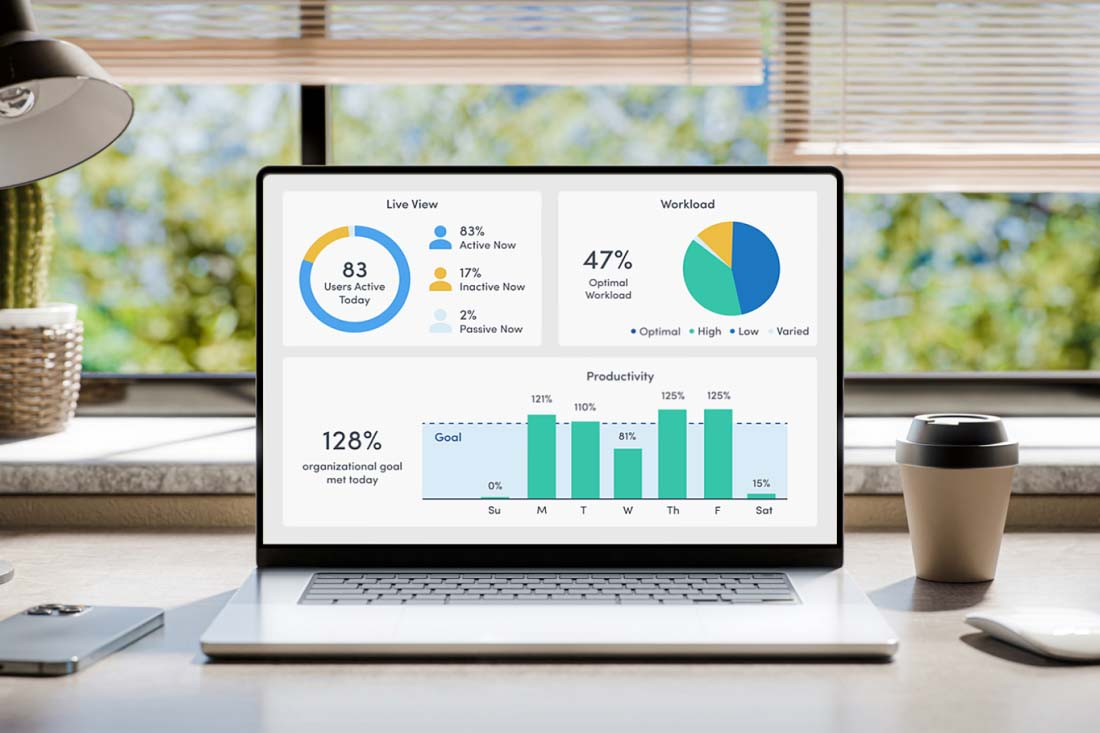
There is no universal definition of the perfect productivity platform.
However, useful Productivity Software generally has several characteristics.
Easy to Use
If a tool takes too long to understand, people may avoid using it.
Accessible Across Devices
Remote workers should be able to access important information from computers, tablets or phones where appropriate.
Collaboration Friendly
Teams need ways to share information, communicate and work on projects together.
Searchable
The ability to find an old document, conversation or task can save significant time.
Integrations
Good integrations reduce the need to repeatedly copy information between different applications.
Automation
Routine work can often be simplified with rules, templates or AI powered workflows.
Security
Business information needs appropriate access controls, authentication and administrative tools.
Scalable
A tool that works for one person should not necessarily become impossible to manage when the team grows.
Best Productivity Software for Remote Teams

Remote teams need something different from people working in the same office every day.
Visibility becomes particularly important.
Employees need to know what other people are working on, where important information is stored, which deadlines are approaching and where decisions have been recorded.
A useful remote team setup often combines communication software with project management and shared documents.
Slack
Slack is designed around team communication, with channels, direct messages, huddles, file sharing and integrations.
Its channel based structure can make it easier to separate conversations by project, department or subject rather than putting everything into one large group chat.
Slack also supports workflow automation and integrations with many external applications.
For remote teams, that can make it useful as a communication layer connecting different parts of the company's Productivity Software stack.
It is particularly relevant when a team communicates frequently throughout the day.
Asana
Asana focuses on project and work management.
Teams can organize projects, assign tasks, set deadlines, monitor progress and use different project views.
For remote teams, this type of visibility can reduce the need to repeatedly ask:
“Who is handling this?”
“When is it due?”
“What is the current status?”
A project management system creates a shared reference point.
Asana also supports integrations, automation and AI powered features, making it suitable for teams that want project management to become part of a broader workflow.
Best Productivity Software for Freelancers

Freelancers often have a different problem.
Instead of coordinating dozens of employees, they may be responsible for everything themselves.
Finding clients, answering emails, scheduling meetings, creating proposals, completing projects, sending invoices and following up with customers can all become part of the same workday.
For freelancers, the best Productivity Software is usually software that reduces administrative complexity.
Notion
Notion can be used for notes, project planning, databases, documentation and personal organization.
A freelancer could create one workspace containing:
• Client information
• Project briefs
• Content calendars
• Meeting notes
• Task lists
• Research
• Templates
The advantage is having related information in one environment.
For someone who works across multiple clients, this can reduce the number of separate places where information needs to be stored.
Google Workspace
Google Workspace combines business email, cloud storage, documents, spreadsheets, presentations, calendars, video meetings and other collaboration tools.
For freelancers who already work with clients using Google Docs or Google Drive, this ecosystem can make collaboration straightforward.
A simple freelance workflow might involve Gmail for communication, Calendar for scheduling, Drive for files, Docs for proposals and Sheets for tracking projects or finances.
The integrated approach is one reason productivity suites remain useful even when a freelancer also uses specialized tools.
Best Productivity Software for Small Businesses
Small businesses often sit between individual productivity and enterprise complexity.
They need enough functionality to manage real operations, but they may not have a large IT department to maintain dozens of complicated systems.
This makes simplicity especially valuable.
Microsoft 365
Microsoft 365 combines familiar business applications such as Outlook, Word, Excel, PowerPoint and Teams with cloud based collaboration and administrative features.
For businesses already using Microsoft applications, the advantage is that employees can work within a familiar ecosystem.
Microsoft is also integrating Copilot capabilities into its business applications, bringing AI assistance into areas such as writing, data analysis, presentations, email and meetings.
This makes Microsoft 365 relevant for companies that want traditional office software combined with newer AI based productivity features.
Google Workspace
Google Workspace takes a similar suite based approach.
It brings Gmail, Drive, Docs, Sheets, Slides, Meet, Calendar and Chat into one connected environment.
For small businesses, this can reduce the number of separate applications required for everyday work.
Google also continues to integrate Gemini AI features into Workspace applications, helping with activities such as writing, organizing information, creating presentations and working with data.
The choice between Microsoft 365 and Google Workspace often comes down to existing workflows, employee familiarity, file compatibility and the applications a business already depends on.
Productivity Software Comparison
Software | Best suited to | Main strength | Useful for |
|---|---|---|---|
Slack | Remote teams | Communication | Channels, messaging, collaboration |
Asana | Teams and growing businesses | Project management | Tasks, deadlines, projects |
Notion | Freelancers and teams | Flexible organization | Notes, databases, documentation |
Google Workspace | Freelancers and small businesses | Connected office suite | Email, documents, storage, meetings |
Microsoft 365 | Small businesses and established teams | Business productivity suite | Office applications, email, collaboration |
ClickUp | Teams managing multiple workflows | Work management | Tasks, projects, documents and workflows |
Trello | Small teams and individuals | Visual task management | Boards, workflows and simple projects |
The table is not a ranking.
Each platform is designed around a different working style.
A freelancer may prefer flexibility and simplicity, while a larger remote team may need stronger project visibility and structured workflows.
Productivity Software for Communication
Communication is one of the first areas businesses usually consider when building a remote work stack.
The challenge is avoiding communication overload.
A company that uses email, several chat platforms, multiple project systems and different meeting tools can create more confusion rather than less.
A better approach is to establish clear rules.
For example:
Formal communication and external messages.
Team Chat
Quick internal conversations.
Project Management
Tasks, deadlines and project decisions.
Video Meetings
Discussions that genuinely benefit from real time conversation.
Documentation
Information that people need to reference later.
The software matters, but the rules surrounding the software matter just as much.
Productivity Software for Project Management
Project management tools are particularly useful when work involves multiple people or stages.
Instead of keeping project information in conversations, teams can organize work into tasks.
A useful task should answer four questions:
What needs to be done?
Who owns it?
When is it due?
What does completion look like?
Modern project management platforms can add timelines, calendars, dashboards, dependencies, automation and AI assistance.
The important thing is not to create unnecessary complexity.
A small team working on five projects may not need an elaborate enterprise system.
The tool should match the scale of the work.
Productivity Software for File Management
File management becomes especially important when employees work from different locations.
Cloud storage can allow teams to access shared documents without relying on files stored on individual computers.
However, simply putting everything into cloud storage does not create an organized system.
Businesses should establish naming conventions, folder structures and access permissions.
For example:
Clients
Client A
Client B
Client C
Projects
Project 1
Project 2
Project 3
Internal
Policies
Templates
Company Documents
A simple structure can make shared storage significantly easier to navigate.
Productivity Software and Artificial Intelligence
Artificial intelligence is changing Productivity Software quickly.
AI can now assist with tasks such as:
• Writing drafts
• Summarizing meetings
• Searching information
• Analyzing spreadsheets
• Creating presentations
• Generating project updates
• Organizing information
• Creating workflow automations
This is particularly useful when AI is built directly into software employees already use.
The benefit is less switching between applications.
Instead of copying information into a separate AI tool, employees can increasingly access assistance within their existing workspace.
But AI should not remove the need for human review.
Business decisions, customer communications and important data analysis still require appropriate oversight.
Productivity Software for Time Management
Time management software can help people understand where their working hours are going.
Calendars are useful for meetings, but they can also become a planning tool.
Freelancers might reserve blocks for:
• Client work
• Administrative tasks
• Marketing
• Learning
• Business development
Remote employees can use shared calendars to make availability clearer.
Small businesses can use scheduling tools to coordinate meetings, appointments and deadlines.
The objective is not to fill every available minute.
Good Productivity Software should make it easier to protect time for meaningful work.
How to Choose Productivity Software for a Remote Team
Before choosing software, ask a few practical questions.
How Large Is the Team?
A tool that works beautifully for three people may not work the same way for fifty.
Where Does Work Happen?
If most work happens in documents, choose software that handles documents well.
If projects are complex, prioritize project management.
If communication is constant, consider a strong collaboration platform.
What Does the Team Already Use?
Replacing everything at once can create unnecessary disruption.
Does It Integrate?
Check whether important tools can exchange information.
How Much Training Is Required?
A powerful system is less useful if employees avoid using it.
What Are the Security Controls?
Consider authentication, permissions, administrative controls and data handling.
Can It Grow With the Business?
Look at how the platform handles additional users, projects and workflows.
How Freelancers Should Choose Productivity Software
Freelancers should avoid building an unnecessarily complicated technology stack.
Start with the essentials.
A basic setup might include:
Communication
Professional email.
Scheduling
Calendar and appointment management.
Work
Documents and project management.
Storage
Cloud file storage.
Finance
Invoicing and accounting.
Organization
Tasks and notes.
Only add additional software when there is a genuine need.
Five well connected applications can be more useful than fifteen disconnected tools.
How Small Businesses Can Avoid Software Overload
Adding another application can feel like solving a problem.
Sometimes it creates another one.
Employees may have to remember multiple passwords, check several dashboards and duplicate information across systems.
This is often called software sprawl.
A small business can reduce this by reviewing its Productivity Software regularly.
Ask:
• Which applications are used every week?
• Which tools overlap?
• Which subscriptions are no longer necessary?
• Where is information duplicated?
• Which workflows could be simplified?
• Can two applications be replaced by one connected platform?
The objective is not to minimize the number of tools at all costs.
It is to create a system where every important application has a clear purpose.
Productivity Software for Hybrid Work
Hybrid work creates another requirement.
Information should not depend on who happens to be sitting in the office.
A team member working remotely should be able to understand what happened in a meeting, find the latest document and see the current status of a project.
That makes shared documentation and project visibility particularly important.
Good hybrid work software should help make information accessible rather than keeping important knowledge inside informal conversations.
The Future of Productivity Software
Productivity Software is moving toward increasingly connected ecosystems.
Instead of having separate applications that simply perform individual functions, platforms are becoming more integrated.
AI is accelerating that change.
An assistant may be able to understand information from a document, identify a task, create an action item and help communicate the next step.
Project management platforms are also introducing AI powered workflows that can assist with prioritization, routine work and project coordination.
This means the next generation of productivity tools may feel less like collections of applications and more like intelligent work environments.
However, the fundamentals will remain the same.
Teams still need clear goals.
People still need responsibilities.
Businesses still need secure information management.
And employees still need time to focus.
Technology can support those things, but it cannot replace good working practices.
A Simple Productivity Software Stack
For many small teams, a practical stack might look like this:
Communication
Slack or Microsoft Teams.
Documents and Storage
Google Workspace or Microsoft 365.
Project Management
Asana, ClickUp or Trello.
Notes and Knowledge
Notion or the documentation tools already included in the team's main suite.
Meetings
Google Meet, Microsoft Teams or another video meeting platform.
Scheduling
Google Calendar or Outlook Calendar.
The exact combination depends on the business.
There is no requirement to use every category separately.
A company already using Google Workspace may not need another application for documents, email, storage and calendars.
Similarly, a Microsoft 365 business may already have much of its basic productivity environment covered.
Final Thoughts
The best Productivity Software is not necessarily the platform with the most features.
It is the software that makes everyday work easier to understand, organize and complete.
For remote teams, visibility and communication are critical.
For freelancers, simplicity and flexibility can matter more.
For small businesses, integration, scalability and manageable costs become increasingly important as the company grows.
The strongest setup is usually a connected collection of tools rather than a huge collection of unrelated applications.
Start with the work that needs to happen.
Then choose software that supports that work.
In 2026, AI is making these platforms increasingly capable, but the same principle still applies: technology should reduce friction rather than create another layer of complexity.
A good productivity system should help people spend less time looking for information, repeating administrative tasks and switching between disconnected applications.
More importantly, it should give them more time to focus on the work that actually moves a business forward.
Frequently Asked Questions
What is Productivity Software?
Productivity Software refers to applications that help individuals and teams organize, communicate, create, manage and complete work. Examples include project management platforms, office suites, communication tools, calendars and task management applications.
What is the best Productivity Software for remote teams?
The right choice depends on the team's size and workflow. Remote teams often need a combination of communication, project management, cloud storage, documentation and video meeting tools.
What is the best Productivity Software for freelancers?
Freelancers generally benefit from simple tools that combine communication, scheduling, documents, file storage, task management and financial administration without creating unnecessary complexity.
Is Google Workspace good for small businesses?
Google Workspace combines business email, cloud storage, documents, spreadsheets, presentations, video meetings, calendars and other collaboration tools, making it a practical option for many small businesses.
Is Microsoft 365 useful for remote teams?
Microsoft 365 combines applications such as Word, Excel, PowerPoint, Outlook and Teams with cloud collaboration and business management features, making it suitable for many organizations with distributed employees.
Is Slack a productivity tool?
Slack is primarily a communication and collaboration platform, but its channels, huddles, integrations, lists, workflows and AI features can make it part of a broader Productivity Software system.
Is project management software necessary for freelancers?
Not always. A freelancer with a small number of simple projects may only need a task list and calendar. More structured project management becomes useful as the number or complexity of clients increases.
How many productivity applications should a small business use?
There is no ideal number. The goal should be to use enough software to support important workflows while avoiding unnecessary duplication and software sprawl.
Does AI make Productivity Software better?
AI can make productivity tools more capable by helping with writing, summarization, research, data analysis, organization and workflow automation. Human review remains important, particularly for sensitive or high consequence work.
What should I consider before buying Productivity Software?
Consider ease of use, core features, integrations, security, collaboration, mobile access, scalability, administration, support and total cost. Most importantly, evaluate whether the software solves a real problem in your current workflow.