
Remote and hybrid work have changed what businesses expect from their software. A team no longer needs to sit in the same office to manage projects, share documents, communicate with customers, review performance, or coordinate daily work. What matters more is whether everyone can access the right information, from the right place, at the right time.
That is where cloud based business tools have become essential.
Modern SaaS platforms allow companies to run important workflows through internet connected applications rather than relying entirely on software installed on individual computers or files stored on office servers. For remote and hybrid teams, this can make collaboration considerably easier because employees can work from different locations while using shared systems.
In 2026, the category is becoming even more interesting because artificial intelligence is being built directly into many business applications. Collaboration platforms can summarize meetings, productivity tools can assist with writing, project management applications can automate tasks, and customer platforms can help employees understand large amounts of information.
The result is a new generation of SaaS designed not just to connect distributed teams, but to help them work more efficiently.
Why Cloud Based Tools Matter for Remote Teams

A remote team cannot simply walk over to someone's desk and ask for a document or project update.
Information needs to be accessible digitally.
Cloud based software provides a central environment where employees can access business information, communicate with colleagues, manage tasks, and collaborate on documents without depending on one physical workplace.
This creates several practical advantages.
• Employees can access work from different locations
• Teams can collaborate on shared documents
• Managers can monitor projects remotely
• Files can be organized in centralized systems
• Communication can remain connected across time zones
• Software updates can generally be managed by the provider
• New employees can often be added without installing complex local infrastructure
The exact benefits depend on the platform and the organization's setup, but the underlying principle is straightforward: the work should remain accessible even when the workplace changes.
What Is SaaS?
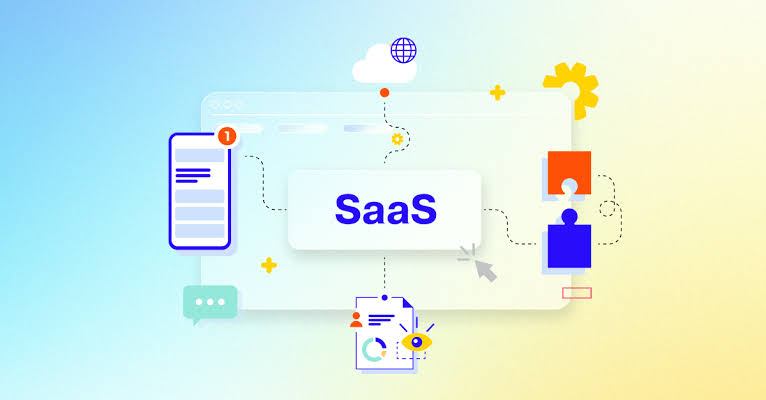
SaaS stands for Software as a Service.
Instead of purchasing software that must be installed and maintained entirely on individual machines, businesses generally access SaaS applications through the internet, often using a subscription model.
Popular business categories include:
• Communication
• Project management
• Customer relationship management
• Accounting
• File storage
• Productivity
• Marketing
• Human resources
• Cybersecurity
• Business analytics
SaaS has become particularly relevant to remote work because employees can access the same business environment without being physically connected to an office network.
However, not every SaaS application is automatically suitable for distributed work.
The best choice depends on how well the platform handles collaboration, permissions, integrations, security, mobile access, administration, and the company's actual workflow.
The Best SaaS Categories for Remote and Hybrid Teams
Instead of looking for one application that does everything, most organizations can benefit from building a connected software environment.
The following categories cover many of the core requirements of distributed businesses.
1. Communication and Team Collaboration

Communication is the foundation of remote work.
Teams need a combination of instant messaging, video meetings, file sharing, announcements, and informal conversations.
Microsoft Teams is one example of a platform built around communication and collaboration. Microsoft describes Teams as a place for chat, meetings, collaboration, and business communication, while Microsoft 365 connects it with productivity applications and cloud services.
Slack is another widely used collaboration platform, particularly for teams that prefer channel based communication and integrations with other applications.
The important consideration is not simply which communication application has the most features.
Look at how naturally the platform fits into the team's existing workflow.
A remote team may need:
• Organized project channels
• Video meetings
• Screen sharing
• File sharing
• Searchable conversations
• External collaboration
• Notifications and availability controls
• Integration with project and productivity tools
Good communication software should reduce unnecessary communication friction rather than create another inbox employees constantly need to monitor.
2. Project Management Software

When employees are working from different locations, visibility becomes extremely important.
Project management SaaS can give teams a shared view of tasks, deadlines, responsibilities, priorities, and progress.
Platforms such as Asana, Monday.com, ClickUp, and similar project management services offer different approaches to organizing work.
Some teams prefer simple task lists.
Others need Kanban boards, timelines, calendars, dependencies, automation, reporting, or workload management.
A useful project management platform should answer basic questions quickly:
Who is responsible for this task?
What needs to happen next?
When is it due?
What is blocking progress?
What has already been completed?
For hybrid organizations, this shared visibility can reduce the number of status meetings needed simply to find out what everyone is working on.
3. Cloud Storage and Document Collaboration
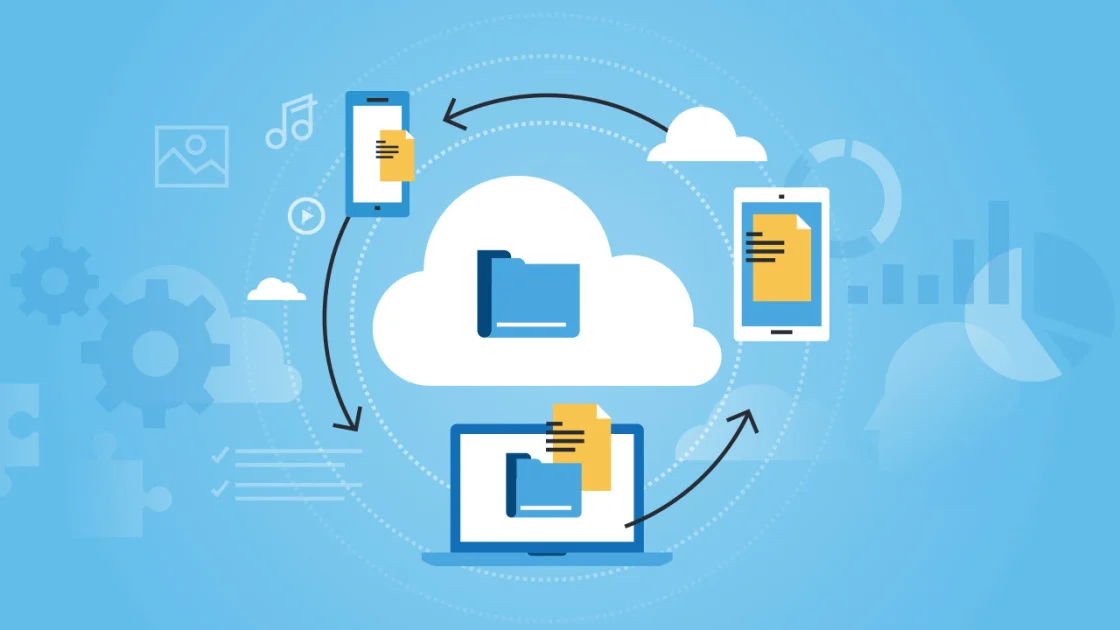
Documents are among the most important assets in any business.
Remote teams need more than a folder containing files. They need controlled access, version history, search, collaboration, and reliable sharing.
Google Workspace and Microsoft 365 are two major examples of cloud productivity ecosystems.
Microsoft 365 combines applications such as Word, Excel, PowerPoint, Outlook, Teams, and cloud storage services within a broader business platform.
Google Workspace provides applications including Gmail, Google Drive, Docs, Sheets, Meet, and other collaboration services.
The important consideration is whether the platform matches the way the team already works.
If employees regularly collaborate on spreadsheets, presentations, contracts, proposals, or planning documents, real time editing and version control can be especially useful.
4. Customer Relationship Management
Remote sales and customer service teams need centralized customer information.
A CRM platform can store customer records, sales activity, communications, deals, tasks, and other relevant information in one location.
HubSpot is one example of a cloud based CRM platform that combines customer management with sales, marketing, and service functionality.
Salesforce is another major CRM platform with tools for customer data, sales processes, service, marketing, analytics, and AI capabilities.
For distributed teams, the main advantage is information continuity.
If one employee speaks with a customer from home and another colleague follows up from an office the next morning, both can work from the same customer record.
That can be especially important when customer relationships involve multiple employees.
5. Time Management and Scheduling

Time zones can become surprisingly complicated when teams are distributed across cities or countries.
Calendar software can help employees understand availability without sending multiple messages asking whether someone is free.
Google Calendar and Microsoft Outlook are common examples, while dedicated scheduling services can provide additional appointment booking capabilities.
Useful features can include:
• Shared calendars
• Time zone support
• Meeting availability
• Appointment scheduling
• Automatic reminders
• Recurring events
• Calendar integrations
For hybrid teams, scheduling software can also help distinguish between office days, remote days, customer meetings, and focused work periods.
6. Finance and Accounting SaaS

Finance is another area where cloud based applications can make distributed work easier.
Cloud accounting platforms can give authorized employees and accountants access to financial information without requiring everyone to work from the same office.
Typical features include:
• Invoicing
• Expense tracking
• Financial reporting
• Payment management
• Bank connections
• Tax related records
• Payroll functionality
The specific capabilities available vary significantly by provider and country.
For businesses evaluating accounting SaaS, security, regulatory requirements, integrations, data export, and accountant access can be more important than simply choosing the platform with the longest feature list.
7. Marketing and Content Creation
Marketing teams are increasingly distributed, which creates a strong need for collaborative creative and marketing software.
Canva is an example of a cloud based platform that allows teams to create and manage visual content through an online environment. Its business offering includes brand management, collaboration, AI powered creation features, marketing capabilities, and integrations.
Other SaaS marketing categories include:
• Email marketing
• Social media management
• Customer analytics
• SEO platforms
• Advertising management
• Content planning
• Landing page creation
The advantage of using cloud based marketing software is that designers, writers, marketers, managers, and external partners can often work within the same digital environment.
8. AI Productivity Tools
AI has become one of the biggest changes in SaaS during 2026.
Instead of using AI as a separate application, businesses increasingly encounter AI capabilities inside the software they already use.
Examples include:
• Meeting summaries
• Document drafting
• Email assistance
• Data analysis
• Automated customer responses
• Research assistance
• Workflow recommendations
• Content generation
• Task automation
• Natural language search
Microsoft has expanded Copilot across its business productivity ecosystem, while many other SaaS vendors have introduced their own AI assistants and agents.
The practical value depends on the quality of the underlying data and workflow.
An AI assistant connected to accurate business information can potentially save time.
An AI system working with incomplete or poorly organized information may produce less useful results.
That makes data quality increasingly important for SaaS adoption.
9. Cybersecurity and Access Management

Remote work expands the number of locations, devices, networks, and applications that can access company information.
Security therefore needs to be part of the SaaS strategy rather than an afterthought.
Businesses should consider tools and policies covering:
• Multi factor authentication
• Password management
• Identity management
• Device security
• Access controls
• Employee permissions
• Data encryption
• Security monitoring
• Backup and recovery
One useful principle is least privilege.
Employees should generally receive the level of access necessary for their responsibilities rather than unrestricted access to every business system.
This becomes even more important when companies use dozens of SaaS applications.
10. Knowledge Management and Internal Documentation
One challenge of remote work is that important knowledge can become trapped inside individual conversations.
A team member may know how to complete a particular process, but if that information exists only in their memory or private messages, the organization becomes dependent on that person.
Knowledge management SaaS can help create centralized documentation.
Teams can maintain:
• Standard operating procedures
• Employee guides
• Product documentation
• Meeting notes
• Frequently asked questions
• Project information
• Training resources
• Internal policies
Platforms such as Notion, Confluence, and Microsoft SharePoint are examples of tools businesses can use for structured knowledge management and collaboration.
The goal is simple: make useful information easier to find.
How to Build a Practical SaaS Stack
The biggest mistake a business can make is assuming that more software automatically means better productivity.
It does not.
Every new application introduces another login, another interface, another subscription, another source of notifications, and another system that employees need to understand.
A better approach is to build around core workflows.
A small remote business might need:
Business need | SaaS category | Example type |
|---|---|---|
Communication | Team collaboration | Chat and video platform |
Documents | Cloud productivity | Office productivity suite |
Projects | Project management | Task and workflow platform |
Customers | CRM | Customer relationship platform |
Finance | Accounting | Cloud accounting platform |
Design | Creative collaboration | Online design platform |
Scheduling | Calendar | Shared calendar platform |
Security | Identity management | Authentication and access platform |
Knowledge | Documentation | Internal knowledge platform |
AI | AI productivity | AI assistant or automation platform |
These are categories rather than universal recommendations. A company's ideal stack depends on its industry, team size, budget, geography, compliance requirements, and existing technology.
How to Reduce SaaS Overload
SaaS adoption can solve one problem while creating another.
A company might begin with a communication platform, add a project management application, introduce a CRM, adopt separate file storage, add several AI applications, and eventually discover that employees are managing too many systems.
This is commonly described as SaaS sprawl.
To control it, businesses can periodically review their software portfolio.
Ask:
• Which applications are actively used?
• Are two tools performing essentially the same function?
• Does the business still need every subscription?
• Which applications contain sensitive information?
• Who owns each application?
• Are employee permissions reviewed regularly?
• Can important workflows be consolidated?
• Are employees using unofficial AI applications?
A smaller, connected software environment can sometimes be easier to manage than a collection of specialized tools.
What to Look for When Choosing Cloud Business Tools
Before subscribing to a new SaaS product, consider the complete picture.
Collaboration
Can employees work together without constantly downloading and emailing files?
Integrations
Does the platform connect with the applications the company already uses?
Security
Does it provide appropriate authentication, permissions, encryption, administration, and security documentation?
Scalability
Can the platform accommodate additional employees, customers, projects, or data?
Administration
Can an organization easily add users, remove access, manage permissions, and monitor usage?
Data portability
Can business information be exported if the company eventually changes providers?
AI capabilities
If AI is included, understand what it does, what information it accesses, and how the provider handles business data.
Total cost
Consider subscription fees, implementation, integrations, additional users, premium features, and employee training.
The Role of AI in the Future of Remote SaaS
The next stage of SaaS is likely to be less about individual applications and more about intelligent workflows connecting them.
Imagine a project where an AI system can summarize a customer meeting, identify follow up actions, create tasks, update the CRM, prepare a draft email, and notify the relevant team members.
Some pieces of this workflow already exist in modern software, although capabilities and levels of automation vary between providers.
This creates an important distinction between AI assistance and autonomous action.
Businesses may be comfortable allowing AI to summarize a meeting automatically.
They may want a human employee to approve an external customer message before it is sent.
That balance between automation and human oversight will remain important as AI capabilities become more sophisticated.
A Simple Checklist for Remote and Hybrid Teams
Before finalizing a SaaS stack, businesses can review these questions:
• Can employees communicate easily?
• Can everyone find the latest version of important documents?
• Are projects visible to the people responsible for them?
• Can customers be managed from a shared system?
• Are financial processes accessible to authorized users?
• Can employees securely access applications outside the office?
• Are permissions appropriate for different roles?
• Are important workflows automated where it makes sense?
• Is AI being used where it provides measurable value?
• Are there unnecessary overlapping subscriptions?
• Does the company have a process for reviewing SaaS security?
• Can employees receive appropriate training?
If the answer to several of these questions is no, the problem may not require more software. It may require better integration, configuration, documentation, or adoption of the tools already available.
Final Thoughts
Cloud based business tools have become an important foundation for remote and hybrid organizations.
The most useful SaaS platforms do more than put software online. They create shared environments where employees can communicate, collaborate, manage information, serve customers, organize projects, and complete work regardless of where they are located.
In 2026, AI is adding another layer to that experience.
Software can increasingly summarize information, automate repetitive activities, help create content, analyze business data, and assist employees with everyday decisions.
But successful remote work is not about collecting the largest possible number of applications.
It is about creating a reliable digital workplace.
A thoughtful SaaS stack should give employees easy access to the information they need, protect business data, reduce unnecessary manual work, and connect the systems that matter most.
For remote and hybrid teams, that combination of accessibility, collaboration, security, and intelligent automation is becoming one of the defining characteristics of modern business technology.
Frequently Asked Questions
What are cloud based business tools?
Cloud based business tools are applications that businesses access through internet connected services rather than relying entirely on locally installed software. SaaS is one of the most common delivery models for these applications.
Why is SaaS useful for remote teams?
SaaS can allow employees in different locations to access shared applications, documents, customer information, projects, and workflows without needing to work from the same physical office.
What SaaS tools does a remote business need?
The exact combination depends on the company. Common categories include communication, project management, cloud storage, CRM, accounting, scheduling, cybersecurity, knowledge management, and productivity software.
Is Microsoft 365 useful for hybrid teams?
Microsoft 365 combines productivity applications and cloud services that can support communication, document collaboration, email, meetings, and other business workflows. The suitability depends on an organization's existing systems and requirements.
Can AI improve remote team productivity?
AI can assist with activities such as meeting summaries, document creation, research, data analysis, customer support, and workflow automation. The value depends on how well the AI capability fits the specific business process.
How can companies avoid SaaS sprawl?
Businesses can regularly audit their applications, remove unused subscriptions, consolidate overlapping tools, review employee access, and establish clear ownership for important SaaS platforms.
What should businesses check before adopting SaaS?
Security, privacy, integrations, user permissions, scalability, data portability, administration, pricing, support, and employee adoption are important areas to evaluate before choosing a SaaS platform.