
AI has moved well beyond the novelty stage. In 2026, AI Tools are increasingly becoming part of ordinary routines: drafting an email before a meeting, summarizing a long document, turning notes into a presentation, researching a topic, organizing tasks, learning a difficult concept, or creating an image without opening complicated software.
The challenge is no longer finding an AI tool.
There are too many.
The more useful question is: Which AI Tools actually make everyday work easier?
The answer depends on what you need to accomplish. A student researching a subject has very different requirements from a marketing professional preparing content or someone who simply wants help organizing a busy week.
This guide looks at AI tools by practical use case, so you can focus less on chasing the latest feature and more on choosing technology that genuinely saves time.
What Makes an AI Tool Useful in 2026?
A good AI tool isn't necessarily the one with the longest feature list.
For everyday users, the most useful tools tend to do at least one of these things well:
Reduce repetitive work
Help organize information
Speed up research
Improve writing
Explain complicated subjects
Turn ideas into usable content
Automate routine tasks
Help people make better use of their existing software
There is also an important distinction between an AI chatbot and an AI-powered productivity tool.
A chatbot may help you brainstorm an idea. A productivity tool may take that idea and turn it into a document, presentation, task, workflow, or design.
That difference becomes important when choosing the right tool.
Best AI Tools by Use Case
Use case | What to look for |
|---|---|
General productivity | Conversation, writing, brainstorming, analysis |
Research | Source handling, web research, summaries |
Writing | Editing, drafting, rewriting |
Study | Explanations, tutoring, practice |
Meetings | Transcription and summaries |
Design | Images, layouts, creative generation |
Presentations | Slide creation and editing |
Organization | Notes, tasks and knowledge management |
Coding | Code generation, debugging and explanation |
Everyday tasks | Planning, comparison and quick assistance |
Rather than declaring one universal winner, it makes more sense to choose according to the job.
1. ChatGPT: A Flexible General-Purpose AI Assistant

OpenAI's ChatGPT is one of the broadest AI assistants for everyday use.
It can help with writing, brainstorming, analysis, learning, coding, planning, summarizing, and many other tasks. Its usefulness comes partly from its flexibility: the same assistant can help you outline a report in the morning and explain a difficult subject later in the day.
Useful for:
Writing and editing
Brainstorming
Research assistance
Learning
Coding
Data analysis
Planning
Summarizing information
The key is to give it enough context. A vague request often produces a generic answer, while a well-defined task can produce something much more useful.
2. Claude: Useful for Long Documents and Detailed Writing
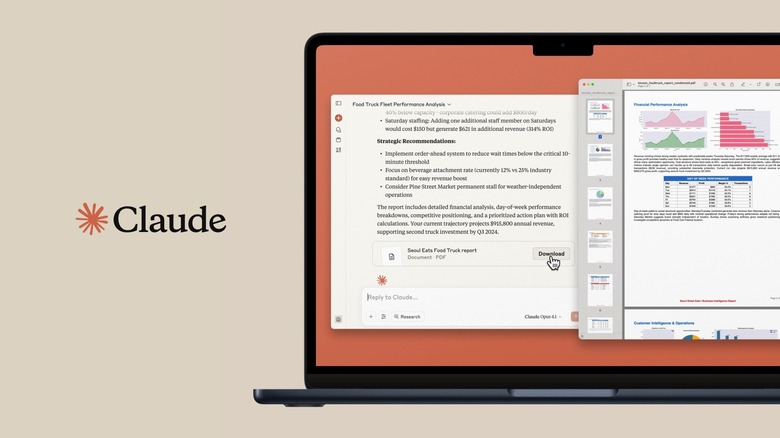
Anthropic's Claude is particularly useful for people who regularly work with substantial amounts of text.
That can include reports, policies, research material, project documentation, or lengthy drafts.
Its conversational approach also makes it useful for refining ideas over several iterations rather than expecting a perfect response from one prompt.
Good use cases
Long-form writing
Document analysis
Summarization
Brainstorming
Research assistance
Coding
Editing
For professionals who spend much of their day reading and writing, this type of AI workflow can be especially practical.
3. Google Gemini: AI Inside a Broader Google Ecosystem
Google's Gemini is designed to work across Google's growing AI ecosystem.
For people already using Google services, ecosystem integration can be an important consideration.
Gemini can assist with:
Research
Writing
Brainstorming
Summarization
Image-related tasks
Learning
Productivity workflows
The broader lesson is worth remembering: sometimes the most useful AI tool isn't the one with the most impressive standalone demo. It's the one that fits naturally into the software you already use.
4. Microsoft Copilot: AI for Workflows Built Around Microsoft
Microsoft has integrated Copilot into parts of its productivity ecosystem.
For people working extensively with Microsoft products, AI assistance can be particularly useful when it is close to the documents, meetings, spreadsheets, presentations, and communication tools they already use.
Potential workplace uses include:
Drafting and rewriting
Summarizing information
Working with documents
Meeting assistance
Presentation support
Spreadsheet-related tasks
For organizations already committed to Microsoft's ecosystem, integration can be just as important as the underlying AI model.
5. Perplexity: Research-Focused AI Search

Perplexity approaches AI from a search and research perspective.
Instead of treating an AI assistant purely as a conversational partner, it is designed around finding and synthesizing information.
That can make it useful when you want to explore a topic quickly and then investigate the underlying sources.
Useful for:
Initial research
Topic exploration
Comparing information
Finding sources
Research summaries
One good habit remains important: check the original source before relying on an important factual claim.
AI can accelerate research, but it shouldn't eliminate source checking.
6. Notion AI: Turning Notes Into Useful Work
Notion combines notes, documents, databases, project organization, and AI assistance.
For people who already use Notion, AI can be useful because it operates close to information that is already part of their workspace.
It can help with:
Summarizing notes
Organizing information
Drafting content
Creating action items
Reworking existing text
Searching workspace information
The advantage is less about having another chatbot and more about putting AI inside an existing organizational system.
7. Grammarly: AI for Everyday Writing
Grammarly focuses heavily on communication.
For professionals and students who write emails, documents, reports, applications, or other everyday text, AI-assisted writing can provide a useful second layer of review.
It can help with:
Grammar
Clarity
Tone
Rewriting
Conciseness
Professional communication
AI writing tools work best when they improve your message rather than completely replacing your voice.
8. Canva: AI for Visual Content
Canva has incorporated AI features into its broader design platform.
This can be useful for people who need visual content but aren't professional designers.
You can use AI-assisted design workflows for things such as:
Social graphics
Presentations
Marketing materials
Images
Posters
Visual concepts
The practical advantage is the combination of AI generation with familiar editing tools.
9. GitHub Copilot: AI Assistance for Coding
GitHub's Copilot is aimed at software development.
For developers, AI coding assistants can help generate code, explain existing code, suggest approaches, and speed up repetitive programming tasks.
However, generated code still needs review.
A useful workflow is:
Generate → Review → Test → Refine
rather than:
Generate → Copy → Deploy
That distinction matters for security, reliability, and maintainability.
10. AI Tools for Students
Students can use AI in ways that go well beyond asking for answers.
The strongest educational use is often learning support.
For example, AI can help:
Explain a difficult concept in simpler language
Create practice questions
Turn notes into a study guide
Compare different explanations
Help structure an essay
Identify areas that need more revision
Simulate a quiz or discussion
A smarter study workflow
Learn → Practice → Check → Improve
Instead of asking AI to complete an assignment from start to finish, use it as a tutor or study partner.
That encourages understanding rather than dependence.
Comparing AI Tools for Different Users
The scores above are illustrative, not rankings of product quality. AI tools evolve quickly, and the best choice depends on the specific workflow, plan, integrations, and features available to you.
How to Choose the Right AI Tool
Before signing up for another AI service, ask five simple questions.
1. What problem am I trying to solve?
Don't start with the tool. Start with the task.
2. Do I already have an AI feature that can do this?
Your existing productivity software may already include capabilities you need.
3. Does it fit my workflow?
A brilliant tool that requires constantly moving information between five different apps may save less time than an integrated alternative.
4. How does it handle my information?
For work or study, understand what information you're sharing, what controls are available, and what your organization's policies require.
5. Can I verify the output?
For research, calculations, code, business information, or other consequential work, verification remains essential.
AI Productivity Habits That Actually Save Time
The technology matters, but your workflow matters just as much.
Try these habits:
Give AI clear context.
Provide examples of the output you want.
Break complicated tasks into stages.
Ask for alternatives when making creative decisions.
Check important facts and sources.
Treat generated text as a draft when accuracy matters.
Keep sensitive information out of tools unless you're comfortable with their privacy and data practices.
Build repeatable prompts for tasks you perform frequently.
The goal isn't to use AI for everything.
It's to use it where it removes friction.
The Future of Everyday AI
The most interesting development isn't simply that AI is getting better at answering questions.
It is becoming increasingly connected to the tools people already use.
A student may move from researching a subject to creating study notes. A professional may go from meeting notes to action items. A marketer may move from an idea to written copy and visual assets.
That creates a more connected workflow where AI becomes part of the process rather than a separate website you visit occasionally.
The challenge will be maintaining judgment.
AI can generate quickly. Humans still need to decide what is accurate, appropriate, useful, original, and worth acting on.
Final Thoughts
There is no single AI tool that is perfect for everyone.
For general assistance, a broad conversational AI may be enough. Researchers may prefer tools designed around sources. Writers may value editing and document capabilities. Designers can benefit from AI-assisted creative platforms, while developers may want coding-focused assistance.
The smartest approach is to choose AI Tools based on the job, not the hype.
Start with one or two tasks that consume unnecessary time. Find a tool that handles those tasks well. Learn how to give it useful instructions, verify important results, and gradually build it into your routine.
That is where AI becomes genuinely productive—not when you use the most tools, but when the right tool makes your everyday work noticeably easier.
Frequently Asked Questions
1. What are the best AI Tools for everyday productivity?
The right choice depends on the task. General AI assistants can help with writing, planning, research, brainstorming, and analysis, while specialized tools can be better for design, coding, note-taking, or meetings.
2. Can students use AI Tools for studying?
Yes. AI can be useful for explanations, practice questions, summaries, study plans, and revision. Students should follow their school's or institution's rules regarding AI use.
3. Are AI Tools replacing traditional productivity software?
Not necessarily. Many AI Tools are being added to existing productivity platforms, making AI a feature inside familiar software rather than a complete replacement.
4. Can AI Tools save time at work?
They can reduce repetitive tasks such as drafting, summarizing, organizing information, and generating first versions of content. The amount of time saved varies considerably by task and workflow.
5. Should I use several AI Tools?
You can, but more isn't always better. Start with the tools that solve your most frequent problems and add others only when they provide a clear benefit.
6. Can AI Tools make mistakes?
Yes. AI-generated information can be incomplete, inaccurate, or incorrectly interpreted. Important information should be checked against reliable sources.
7. Are AI Tools safe for confidential work?
It depends on the specific service, account type, settings, and organizational policies. Before entering confidential information, review the tool's privacy and data-handling terms and follow your employer's requirements.
8. Which AI Tools are useful for writing?
General AI assistants can help with drafting and brainstorming, while dedicated writing platforms can provide grammar, tone, editing, and rewriting assistance.
9. Can AI Tools help with coding?
Yes. Coding-focused AI assistants can generate code, explain existing code, suggest solutions, and help with debugging. Developers should still review and test generated code carefully.
10. What is the best way to start using AI?
Choose one repetitive task you perform regularly. Use an appropriate AI tool to assist with it, review the results, and refine your workflow. Once it consistently saves time, expand to another task.