
Running a small business often means doing several jobs at once. One moment you are answering a customer email, the next you are researching a competitor, preparing a social media post, checking a spreadsheet, or trying to finish tomorrow's presentation.
Hiring a specialist for every task is not always realistic. That is one reason AI Tools have become increasingly useful for small businesses in 2026.
The right AI tool can help turn a rough idea into a polished email, summarize research, create visual content, analyze business data, or automate repetitive work between different applications. The real benefit, however, is not using AI simply because it is available. It is finding practical ways to give a small team more time for work that actually requires human judgment.
This guide looks at AI Tools across four areas that matter to many small businesses: writing, research, design, and automation.
Why AI Tools Matter for Small Businesses
Large organizations may have dedicated teams for marketing, research, design, analytics, and operations. A small business may have one person covering several of those responsibilities.
That makes time particularly valuable.
AI can help with the first version of many routine tasks, allowing business owners and small teams to spend more time reviewing, improving, and making decisions.
Useful applications include:
• Writing customer emails
• Creating first drafts of website content
• Summarizing long documents
• Researching markets and competitors
• Creating social media concepts
• Preparing presentations
• Analyzing spreadsheets
• Automating repetitive administrative tasks
• Organizing information
• Creating customer support responses
The goal should be simple: use AI to reduce repetitive work without removing human oversight.
Best AI Tools for Small Business Work

There is no single tool that fits every business. A company selling products online may care about design and marketing, while a consulting business may get more value from research, writing, and document analysis.
Business need | Useful type of AI Tool | Example tools |
|---|---|---|
Writing | General AI and writing assistants | ChatGPT, Claude, Grammarly |
Research | AI research and search tools | ChatGPT, Perplexity |
Design | AI design platforms | Canva |
Automation | AI workflow platforms | Zapier |
Data analysis | Conversational data tools | ChatGPT |
Collaboration | AI within productivity platforms | Microsoft Copilot, Notion AI |
Coding | AI coding assistants | GitHub Copilot |
The examples above represent different approaches rather than a ranking. The right choice depends on the software your business already uses and the work you need to complete.
1. ChatGPT for Writing, Research and Business Tasks

ChatGPT can support a wide range of small business activities, from drafting content to analyzing information and working with business data.
OpenAI describes its business offerings around areas including writing, research, data analysis, marketing, sales, operations, and other workplace tasks. Its current research capabilities can also help users gather and synthesize information and produce structured reports with citations.
For a small business, that flexibility can be useful.
Practical uses include
• Drafting emails and proposals
• Creating content outlines
• Brainstorming marketing ideas
• Summarizing research
• Analyzing spreadsheets
• Preparing reports
• Creating customer response templates
• Turning rough notes into polished documents
One useful approach is to treat AI as the first draft rather than the final decision maker.
For example, instead of asking it to create an entire marketing campaign without context, give it your target customer, product information, tone, objective, and restrictions. The result is likely to be more useful because the AI has something meaningful to work with.
2. Claude for Documents and Written Work
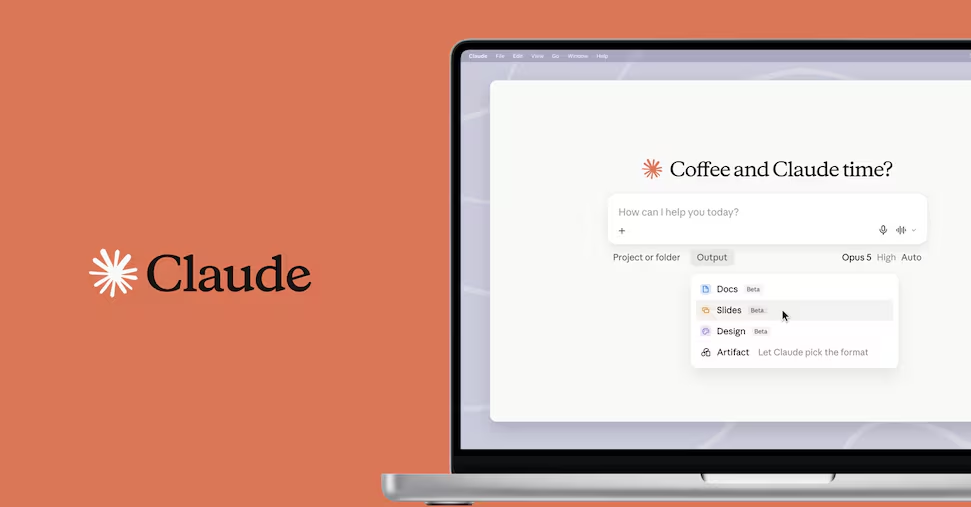
Claude from Anthropic is another general purpose AI assistant that can be useful for businesses working heavily with text and documents.
It can be considered for tasks such as:
• Reviewing lengthy documents
• Summarizing information
• Brainstorming
• Drafting business content
• Reworking existing writing
• Exploring ideas
For a small consulting company, for example, an AI assistant can help turn meeting notes into a structured first draft of a client document. A human can then check the facts, add context, and make the final version reflect the company's expertise.
That workflow is generally more useful than expecting AI to produce a finished document without review.
3. Gemini for Businesses Already Using Google
Google's Gemini can be worth considering for businesses that already rely heavily on Google's wider productivity ecosystem.
The practical advantage of an AI assistant often comes from how naturally it fits into the tools a team already uses.
For a small company, reducing the need to copy information between different applications can be just as valuable as having a powerful AI model.
Before choosing an AI service, consider your existing software environment.
Ask:
• Where do we store documents?
• Which tools do employees already use?
• Where does customer information live?
• How are meetings and communication handled?
• Can the AI fit into those workflows?
The answer may matter more than a feature comparison on a product page.
4. Perplexity for Research

Research can consume a surprising amount of time for a small business.
You might want to understand a new market, investigate a product category, research customer questions, or get an overview of an unfamiliar industry.
AI research tools can speed up the initial exploration.
Perplexity is designed around AI assisted search and research, making it useful for exploring topics and locating information quickly.
However, businesses should still check important claims against the original sources.
A practical research workflow
Question
Start with the business question you actually need to answer.
Explore
Use AI to identify relevant themes and sources.
Verify
Open important sources and check the underlying information.
Decide
Use the verified information to support a business decision.
AI can accelerate research, but verification remains essential when the information affects customers, finances, compliance, or strategy.
5. Canva for Small Business Design
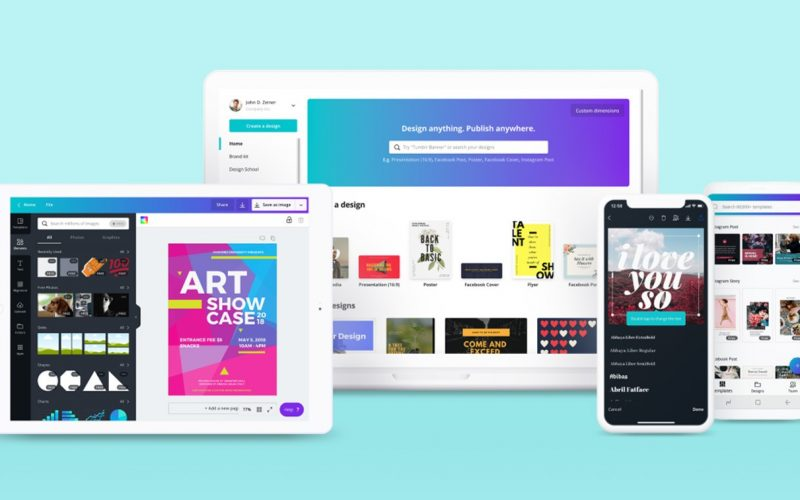
Design is another area where AI can make a noticeable difference.
Canva offers AI assisted creation and business focused features designed to help individuals and small teams create content, maintain brand consistency, and adapt designs across different formats.
That can be particularly useful for businesses that do not have an in house designer.
A small business might use Canva for:
• Social media graphics
• Presentations
• Promotional materials
• Posters
• Product visuals
• Simple marketing campaigns
• Branded content
The biggest advantage is often not generating one image. It is being able to create a design and then adapt it for several channels while keeping the brand presentation consistent.
6. Zapier for AI Automation
Automation is where AI can move from helping with individual tasks to connecting entire workflows.
Zapier connects applications and can add AI steps to workflows. Its current platform supports thousands of applications and can use AI to summarize, classify, draft, and perform other actions within automated workflows.
Imagine a simple lead management process:
New inquiry arrives
↓
Information is added to a customer system
↓
AI summarizes the inquiry
↓
A suitable team member is notified
↓
A response task is created
The exact workflow depends on the applications involved, but the principle is powerful. A repetitive process can happen automatically instead of requiring someone to perform every step manually.
7. Microsoft Copilot for Microsoft Based Workflows

For businesses already using Microsoft products extensively, Copilot can be worth considering because AI assistance is integrated into Microsoft's broader productivity environment.
Possible business applications include:
• Drafting and rewriting
• Summarizing information
• Working with documents
• Meeting assistance
• Presentation support
• Data related tasks
The lesson is similar to Google's ecosystem approach. When selecting AI Tools, integration can be as important as raw AI capability.
8. AI for Business Data
Small businesses often have useful information sitting inside spreadsheets that never gets properly analyzed.
Sales records, customer data, campaign results, expenses, inventory information, and other structured data can contain valuable patterns.
Modern AI tools can make data analysis more accessible by allowing users to ask questions in ordinary language. OpenAI, for example, documents capabilities for analyzing uploaded spreadsheets and other supported files and generating tables, charts, and summaries.
Instead of asking only:
"What are my sales?"
A business owner could ask:
• Which products generated the most revenue?
• Which months performed differently?
• Which customer segment changed the most?
• Where are expenses increasing?
• What patterns deserve further investigation?
The AI can help with the analysis, but important business conclusions should still be reviewed by someone who understands the underlying data.
Choosing AI Tools by Business Need
A simple way to narrow the options is to start with the problem rather than the product.
If your business needs | Consider |
|---|---|
Faster content creation | General AI assistant |
Better research workflow | AI research tool |
More visual content | AI design platform |
Less repetitive administration | Automation platform |
Easier spreadsheet analysis | AI data assistant |
Better internal organization | AI productivity platform |
Development assistance | AI coding assistant |
This prevents a common mistake: collecting several AI subscriptions without having a clear reason for using them.
A Simple AI Stack for a Small Business
A small company does not necessarily need ten different AI Tools.
A practical setup might look like this:
Core assistant
Use one general AI assistant for writing, brainstorming, research support, and analysis.
Design tool
Use an AI enabled design platform for visual content and brand materials.
Automation tool
Connect repetitive business processes across the applications you already use.
Existing productivity software
Take advantage of AI features already included in your workplace tools before adding another service.
This approach can keep the technology stack easier to manage.
What Small Businesses Should Check Before Using AI
The convenience of AI should not come at the expense of good business practices.
Before introducing a tool, consider:
• What information will employees enter?
• Does the service provide suitable business privacy controls?
• Who can access the account?
• How will AI generated content be reviewed?
• Which tasks require human approval?
• Does the tool integrate with existing systems?
• What happens if the service becomes unavailable?
For example, OpenAI states that data from ChatGPT Business and other listed business offerings is not used to train its models by default. Businesses should still review the current terms, settings, and policies applicable to their specific account before entering sensitive information.
How to Get Real Value From AI
The biggest gains often come from small, repeatable improvements.
Instead of trying to transform the entire business overnight, choose one time consuming process.
For example:
Week one: Use AI to draft routine emails.
Week two: Use it to summarize research.
Week three: Introduce AI assisted design.
Week four: Automate one repetitive workflow.
Track whether each change actually saves time or improves the quality of the work.
If it does not, change the process rather than forcing AI into it.
Final Thoughts
The most useful AI Tools for small businesses are not necessarily the ones with the most impressive demonstrations.
They are the tools that solve everyday problems.
A general AI assistant can help with writing and research. A design platform can make professional visual content easier to produce. Research focused tools can speed up information gathering. Automation platforms can connect repetitive processes. Data analysis tools can make business information easier to understand.
But technology should remain the supporting layer.
Your business knowledge, customer relationships, judgment, and creativity are still the things that give the work its value.
The smartest approach is therefore straightforward: identify where your team loses time, find an AI tool that can genuinely reduce that friction, test it on a small scale, and keep human review where accuracy and judgment matter.
Used that way, AI becomes less about chasing the latest technology and more about building a business that can spend its limited time on the work that matters most.
Frequently Asked Questions
1. What are the best AI Tools for small businesses?
The right choice depends on the business. General AI assistants can support writing and research, design platforms can help with marketing materials, and automation platforms can reduce repetitive administrative work.
2. Can AI help a small business with marketing?
Yes. AI can assist with content ideas, first drafts, research, social media concepts, email copy, visual creation, and campaign planning. Human review is still important for brand accuracy and originality.
3. Can AI Tools replace employees?
AI Tools are generally more useful when treated as productivity support. They can automate or accelerate certain tasks, while people remain responsible for judgment, customer relationships, quality control, and decisions.
4. Are AI Tools expensive for small businesses?
Costs vary widely. Some services offer free access or lower cost plans, while advanced business features can require paid subscriptions. Businesses should compare the cost with the time and resources the tool could realistically save.
5. Can AI Tools analyze business data?
Yes. Some AI services can analyze spreadsheets and other structured data, generate summaries, identify patterns, and create visualizations. Important financial and operational conclusions should still be checked.
6. Which AI Tool is useful for business automation?
Automation platforms such as Zapier can connect different applications and add AI steps to workflows. The best setup depends on the software your business already uses.
7. Can small businesses use AI for graphic design?
Yes. Platforms such as Canva provide AI assisted design features that can help small teams create and adapt branded visual content.
8. Should businesses use multiple AI Tools?
They can, but more tools do not automatically mean better productivity. Start with the applications that solve your most important problems and expand only when another tool provides a clear benefit.
9. Is it safe to put business information into AI Tools?
It depends on the service, account type, privacy settings, and information involved. Businesses should review the provider's current privacy terms and internal policies before entering confidential or sensitive information.
10. What is the best way for a small business to start using AI?
Start with one repetitive task that consumes noticeable time. Test an appropriate AI tool, review the results carefully, measure whether it actually improves the workflow, and expand gradually if the results are useful.