Modern work rarely feels like one large task.
A typical day can involve checking email, answering messages, joining meetings, writing documents, updating spreadsheets, organizing schedules, researching information, creating presentations, following up with colleagues, and trying to remember what needs to happen next.
None of these activities necessarily takes a huge amount of time on its own.
The problem is the accumulation.
This is where AI Productivity tools are becoming increasingly useful in 2026. Instead of treating artificial intelligence as something reserved for highly technical projects, businesses and individuals are using AI assistants to handle smaller everyday activities, from summarizing conversations to drafting emails and organizing information.
The technology is also moving beyond simple question and answer interactions. Current workplace AI tools can work inside applications people already use, connect information across documents and messages, and in some cases perform multi step workflows under user direction. Google, for example, has expanded Gemini across Gmail, Docs, Sheets, Meet, Drive and other Workspace applications, while Microsoft is developing Copilot experiences that combine chat, agents and delegated work.
But automation does not mean handing every decision to an AI system.
The most practical approach is to identify repetitive work that consumes attention, automate appropriate parts, and keep humans responsible for decisions that require judgment.
What Is an AI Productivity Assistant?

An AI Productivity assistant is software that uses artificial intelligence to help with tasks such as writing, summarizing, organizing, researching, analyzing information, planning, and workflow automation.
Unlike traditional software, which generally waits for a user to follow predefined commands, AI assistants can understand natural language instructions.
You might type:
“Summarize these meeting notes and turn the action items into a task list.”
Or:
“Review this spreadsheet and explain the biggest changes from last month.”
Or:
“Draft a polite follow up email based on this conversation.”
The assistant can then produce a starting point that the user reviews and adjusts.
In 2026, some systems are going further by connecting multiple applications and performing sequences of actions. Google Workspace describes new agentic capabilities that allow Gemini to work across Gmail, Drive, Docs, Slides and Chat, while Microsoft 365 Copilot includes agents designed to automate recurring workflows and work with organizational context.
Why AI Productivity Matters in 2026
The appeal of AI Productivity is not simply about doing more work.
It is about reducing the amount of attention spent on repetitive work.
Consider a typical project manager.
They may spend part of the morning reading messages, reviewing documents, preparing a meeting agenda, updating a project tracker and writing a status report.
An AI assistant may be able to help with several of those steps.
Google Workspace currently positions Gemini as an assistant across Gmail, Docs, Sheets and Meet, with capabilities including email drafting, meeting notes, document creation, spreadsheet analysis and workflow automation.
Microsoft similarly describes Copilot as a way to get answers, draft content, surface insights, search work information and delegate certain complex tasks through Copilot Cowork and agents.
The result is a shift from AI as a separate application toward AI becoming part of the everyday software environment.
1. Email Management
Email is one of the easiest places to identify repetitive work.
An AI Productivity assistant can help with:
• Summarizing long email threads
• Drafting replies
• Rewriting messages for a different tone
• Extracting action items
• Identifying important information
• Turning messages into tasks
• Creating follow up drafts
• Organizing information from multiple messages
Google Workspace currently offers Gemini features in Gmail for summarizing threads, finding details and drafting professional emails. Microsoft also positions Copilot as a tool for managing email and calendar related work.
The important distinction is between drafting and sending.
An AI can prepare a response, but the user should normally review the message before it is sent, particularly when the communication involves customers, financial information, legal matters or sensitive business issues.
2. Meeting Notes and Follow Ups
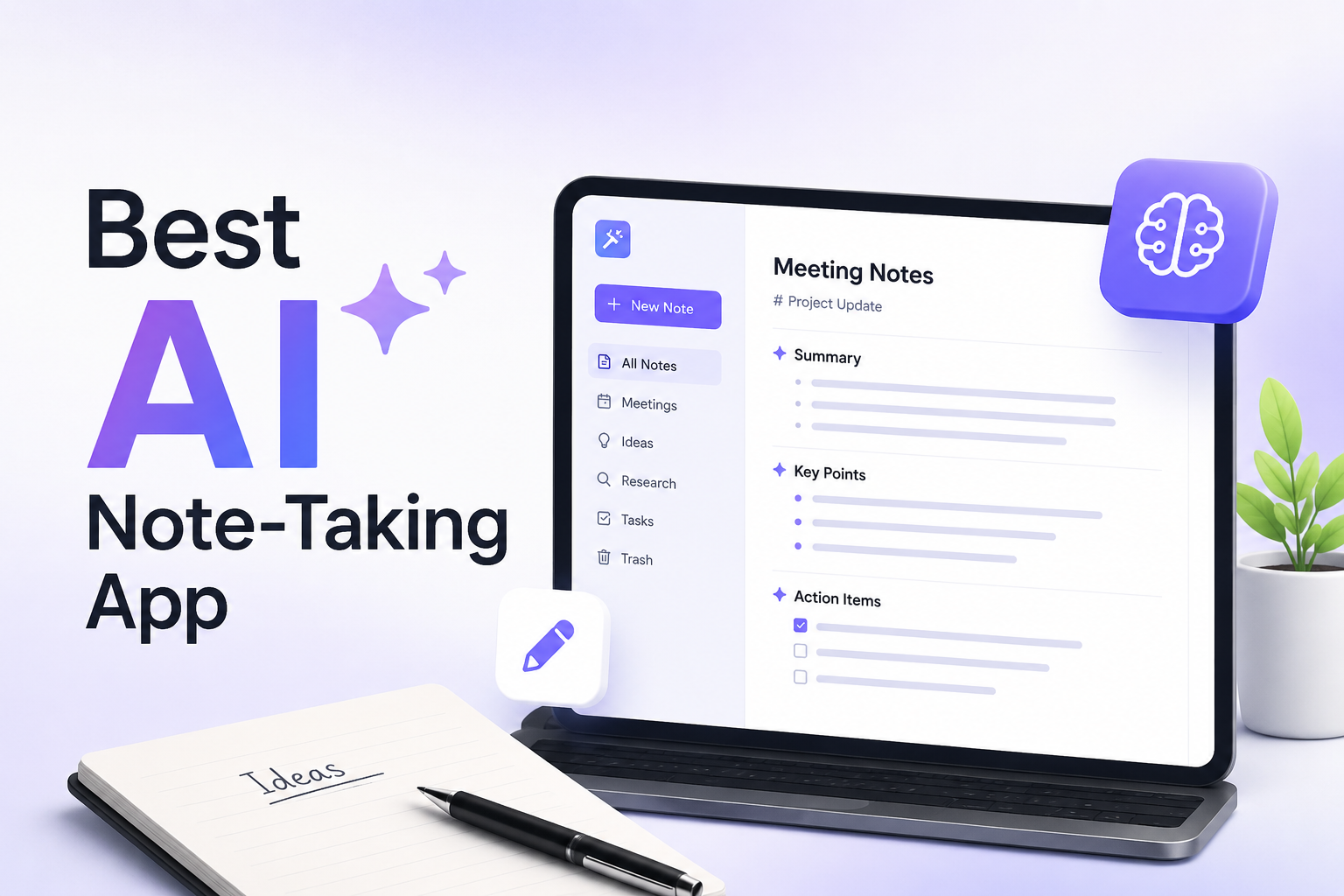
Meetings generate another large category of repetitive administrative work.
Someone has to take notes, identify decisions, record action items and communicate what happens next.
AI assistants can help automate parts of this process.
Google Meet, for example, includes Gemini capabilities for automated note taking and meeting summaries. Google also demonstrates workflows in which meeting information can be turned into documents and follow up communications.
A useful workflow might look like this:
Meeting
AI captures notes.
After the meeting
AI identifies decisions and action items.
Next step
The user reviews the summary.
Follow up
Approved tasks or messages are created.
This can turn a meeting from a standalone event into a structured workflow.
3. Document Drafting

Starting with a blank document can be surprisingly difficult.
AI Productivity tools can reduce that initial friction by creating first drafts.
Useful examples include:
• Project briefs
• Meeting summaries
• Internal announcements
• Reports
• Proposals
• Product descriptions
• Research summaries
• Training materials
• Presentation outlines
Google Docs with Gemini can create formatted first drafts, while Microsoft Copilot can assist with content creation across Microsoft applications.
The best workflow is usually not “AI writes everything.”
Instead, AI creates a starting point and the human improves the substance, accuracy, tone and final message.
4. Research and Information Summaries
Research can involve reading through large amounts of information before reaching the useful parts.
AI assistants can help summarize documents, extract key points, compare information and organize findings.
Microsoft's current Copilot agents include Researcher, which is designed for multi step research across work data and web content, while Google offers Gemini Notebook for working with user provided sources and producing synthesized insights.
This can be especially useful when someone needs to understand a large collection of internal documents.
However, summaries should not automatically be treated as authoritative.
Important facts, figures, citations and conclusions should be checked against the original material.
5. Calendar and Task Organization
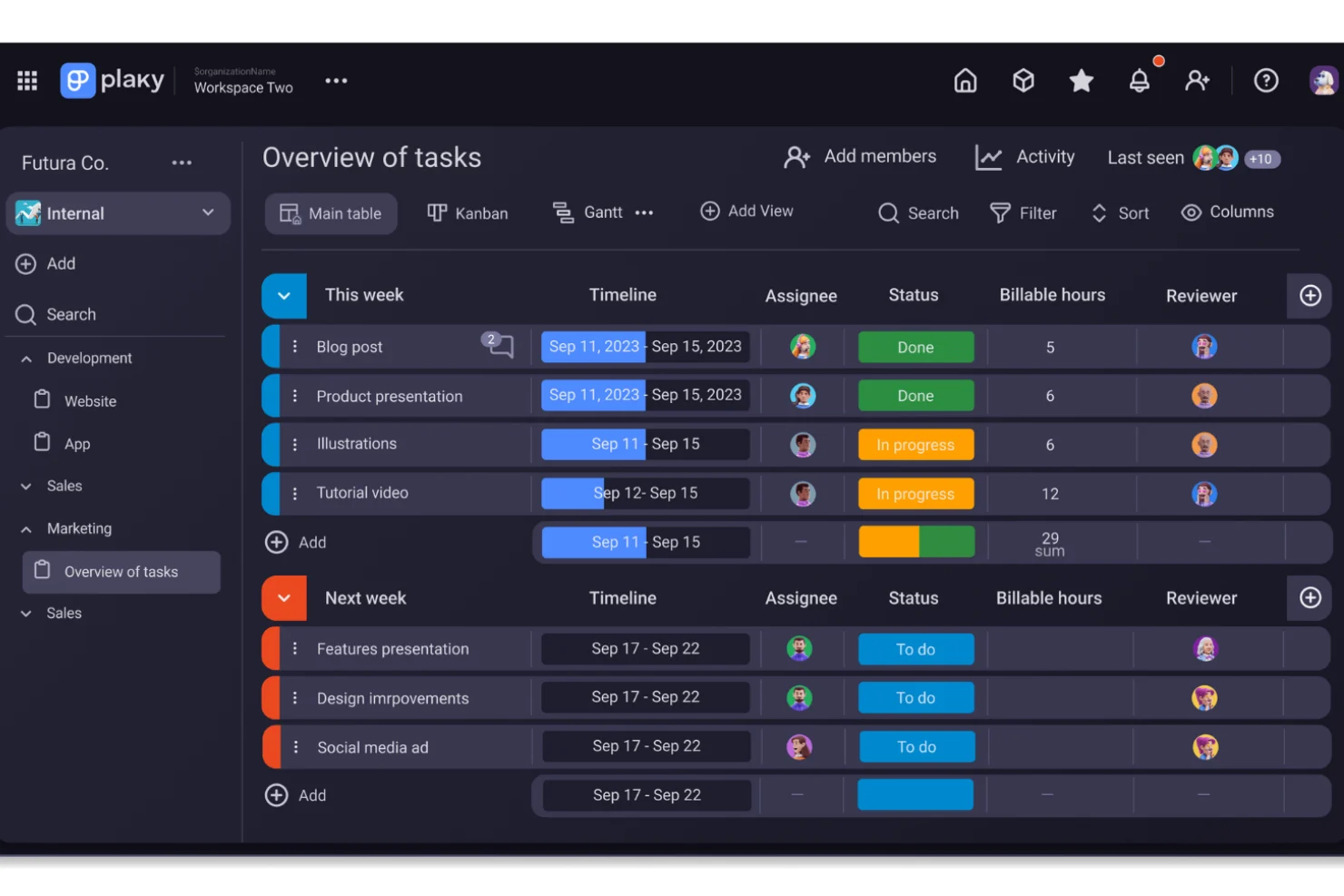
Scheduling is another area where AI can reduce administrative effort.
Depending on the platform and permissions, AI assistants can help with:
• Creating calendar events
• Organizing tasks
• Identifying action items
• Preparing meeting agendas
• Coordinating information
• Creating reminders
Google has introduced Workspace capabilities that can create calendar events, update to do lists and coordinate tasks from within Workspace applications.
This can be particularly useful for people managing multiple projects.
Instead of manually transferring information from an email into a calendar or task list, an AI assistant may be able to handle the first part of that workflow.
6. Spreadsheet Analysis
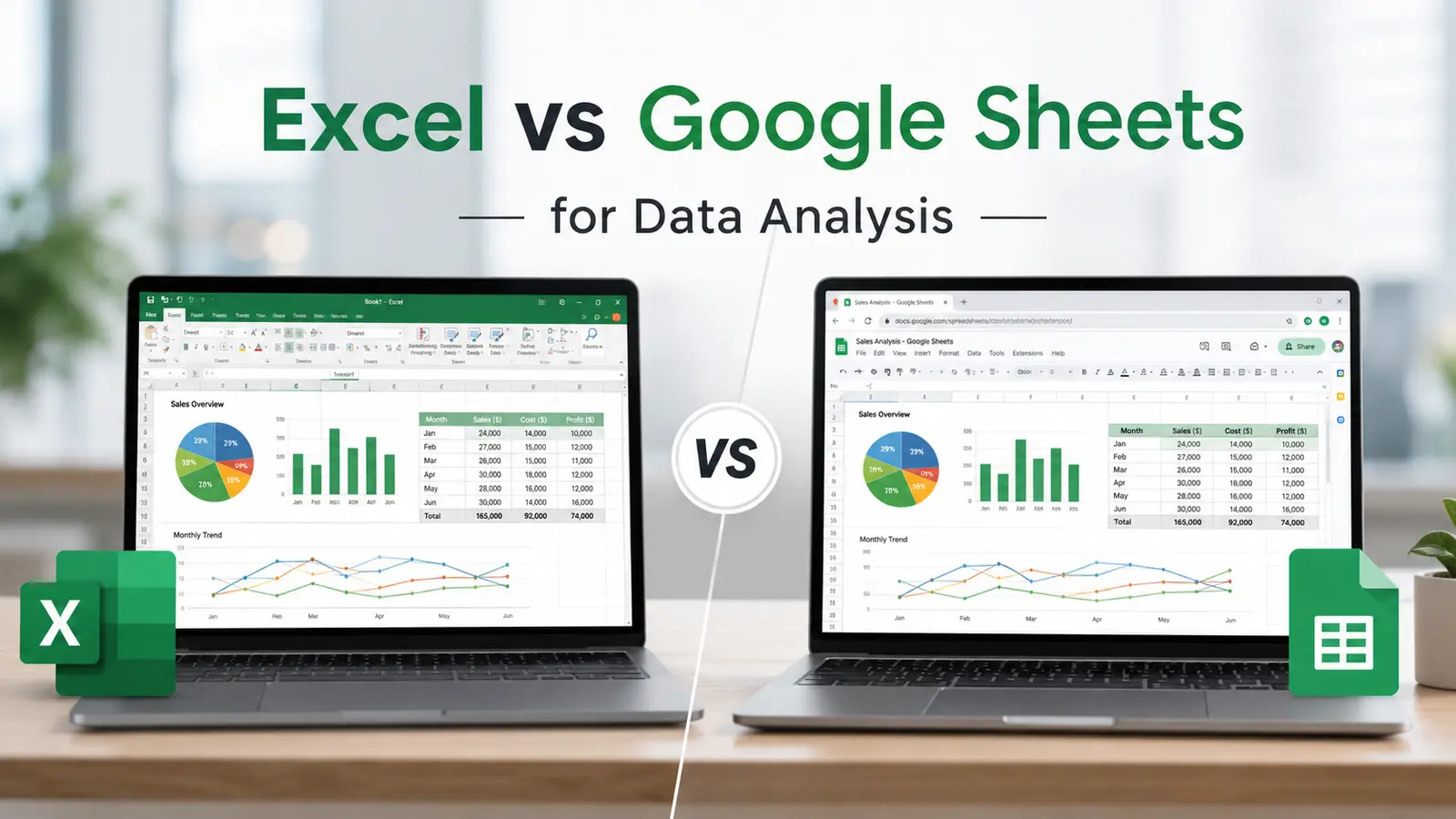
Spreadsheets often contain valuable information but require considerable effort to interpret.
AI can help users ask questions in natural language instead of manually constructing every formula or analysis.
Examples include:
• Summarizing monthly results
• Finding unusual changes
• Creating tables
• Organizing data
• Identifying trends
• Explaining formulas
• Creating charts
Google says Gemini in Sheets can help build spreadsheets, populate tables and solve optimization problems through natural language prompts. Microsoft also integrates Copilot capabilities into its productivity environment for working with business information.
The user should still verify calculations and source data, particularly when financial or operational decisions depend on the result.
7. Presentation Creation
Creating a presentation often involves several separate tasks.
Someone needs to decide on the structure, write the content, create slides, organize information and prepare visual material.
AI can assist with several of these steps.
A simple workflow could begin with a project document and turn it into:
Brief
The main objective and audience.
Outline
The proposed presentation structure.
Slides
Individual talking points and supporting information.
Review
The user checks the story, facts and visuals.
Google currently describes Gemini capabilities for creating and editing presentations, while Microsoft Copilot supports content creation across its productivity applications.
The human still needs to decide whether the presentation actually communicates the intended message.
8. Recurring Reports
Recurring reporting is an ideal candidate for carefully designed automation.
Consider a weekly report that always requires the same steps:
Collect information.
Organize the numbers.
Summarize changes.
Prepare the report.
Send it to the relevant team.
An AI agent or workflow system can potentially automate several of these steps.
Microsoft describes agents that can automate personal and team workflows, while Google Workspace Studio is designed to create AI powered workflows using natural language.
The safest approach is to define exactly what the system can access, what it can change and when human approval is required.
9. Customer Communication
Customer communication often contains repetitive questions.
AI can help draft responses based on approved information, summarize customer conversations and identify issues that require attention.
Google specifically highlights Gemini's ability to help draft personalized responses to customer enquiries.
For businesses, the important factor is consistency.
AI generated communication should reflect approved company information and appropriate brand standards.
Sensitive customer situations should remain under human supervision.
10. File and Knowledge Organization
Many businesses have large collections of documents, presentations, spreadsheets and messages.
Finding the right information can sometimes take longer than creating new information.
AI assistants can help users search across connected content, summarize documents and identify relevant material.
Google Drive with Gemini is designed to help turn stored files into a more accessible knowledge base, while Microsoft Copilot uses organizational context and AI powered search to help surface information from work content.
This is particularly valuable for organizations where important knowledge is spread across many files.
11. Routine Workflow Automation
The biggest change in AI Productivity during 2026 is arguably the movement from generating content to completing workflows.
A traditional AI assistant might answer:
“Write an email reminding the team about tomorrow's meeting.”
A workflow oriented assistant can potentially go further:
Read the relevant calendar event.
Draft the reminder.
Identify the participants.
Prepare the message.
Request approval.
Send it after confirmation.
Modern AI platforms are increasingly introducing agents that can execute sequences of actions rather than simply generate text. Microsoft's Copilot agents and Google's Workspace Studio are examples of this direction.
This creates significant opportunities, but also makes permissions and oversight more important.
What Should You Automate First?
Not every task deserves automation.
A useful starting point is to look for activities that are:
• Repetitive
• Predictable
• Time consuming
• Based on structured information
• Easy to review
• Low risk if an error occurs
Examples include summarizing routine meetings, preparing first drafts, creating recurring reports and organizing information.
Tasks involving major financial commitments, legal decisions, sensitive external communication or final approvals generally require stronger human involvement.
Microsoft's current guidance similarly distinguishes routine work that can be automated with review from high risk decisions that should remain human led.
AI Assistance vs Full Automation
One of the most important distinctions in AI Productivity is the difference between assistance and autonomy.
Approach | What AI does | Human role |
|---|---|---|
AI assistance | Suggests or drafts | Reviews and completes |
Guided automation | Performs defined steps | Approves or monitors |
Workflow automation | Executes recurring processes | Sets rules and supervises |
Agentic automation | Handles multi step objectives | Defines boundaries and accountability |
For most organizations, the right answer is not maximum automation.
It is appropriate automation.
A system that saves ten minutes but creates a major error can be worse than a manual process.
The goal should be to automate the repetitive portion while preserving human control over important decisions.
Privacy and Security Considerations
AI Productivity becomes more powerful when an assistant can access useful context.
But that also makes access control important.
Before connecting an AI assistant to workplace information, organizations should consider:
• What data can the assistant access?
• Which employees can use it?
• Can it access confidential documents?
• What actions can it perform?
• Are activities logged?
• Can administrators control permissions?
• What information is retained?
Google states that Workspace data remains under organizational control and provides controls for restricting Gemini access to sensitive information.
Microsoft similarly emphasizes security and enterprise controls around Copilot and its agents.
Organizations should still review the specific privacy, security and retention policies of whichever tools they deploy.
Common Mistakes When Using AI Productivity Tools
Automating Too Much Too Quickly
Start with small, low risk workflows before connecting AI to important business processes.
Assuming AI Is Always Correct
AI generated information can contain errors.
Skipping Human Review
A polished output can still be incorrect or inappropriate.
Giving Excessive Permissions
Only provide the access required for the task.
Automating Poor Processes
AI can make a bad workflow faster without making it better.
Measuring Activity Instead of Results
The objective is not to generate more AI content.
The objective is to reduce unnecessary work and improve outcomes.
A Simple AI Productivity Workflow
A practical implementation can follow five steps.
Step One: Track Repetitive Work
Write down activities that happen repeatedly during the week.
Step Two: Identify the Bottleneck
Find tasks that consume time without requiring much judgment.
Step Three: Test AI Assistance
Use AI for drafting, summarizing or organizing before attempting full automation.
Step Four: Add Review
Create a human approval step wherever errors could matter.
Step Five: Measure the Result
Compare the time, quality and error rate before and after automation.
This approach creates a gradual path toward AI Productivity instead of trying to automate an entire business overnight.
The Future of AI Productivity
AI Productivity is moving toward a more proactive model.
Instead of waiting for users to ask individual questions, AI systems are increasingly being designed to understand context, monitor workflows and help complete multi step objectives.
Microsoft's September 2026 Copilot announcements describe a direction in which agents can follow threads, run recurring work and continue projects with defined goals and boundaries.
Google has also introduced agentic capabilities that allow Gemini to coordinate tasks across Workspace applications.
The likely result is not that every employee will have an AI system doing everything independently.
Instead, everyday software may increasingly include AI that handles small pieces of administrative work in the background.
The human role becomes more focused on decisions, creativity, relationships, strategy and accountability.
Final Thoughts
AI Productivity is becoming less about asking an AI chatbot random questions and more about integrating intelligent assistance into everyday workflows.
Email drafting, meeting summaries, document creation, research, scheduling, spreadsheet analysis, presentations, recurring reports and information organization can all benefit from AI assistance.
The most useful automation is usually not the most complicated.
A simple workflow that reliably saves time every week can be more valuable than an impressive AI experiment that nobody uses.
The key is to start with repetitive work, keep sensitive decisions under human control, verify important outputs and gradually expand automation as confidence grows.
In 2026, the most practical AI Productivity strategy is therefore not to automate everything.
It is to automate the right things.
Frequently Asked Questions
What is AI Productivity?
AI Productivity refers to using artificial intelligence to help complete everyday tasks more efficiently. These can include writing, research, email management, meeting notes, data analysis, scheduling and workflow automation.
What everyday tasks can AI automate?
Common examples include email drafting, meeting summaries, recurring reports, document preparation, information organization, task creation, spreadsheet analysis and routine workflow steps.
Can AI completely replace productivity software?
Not necessarily. Modern AI is increasingly being integrated into productivity software rather than replacing it. Tools such as Google Workspace and Microsoft 365 are adding AI capabilities directly into applications people already use.
Should AI generated emails be sent automatically?
For routine, low risk communication, carefully configured automation may be appropriate. For customer communication, sensitive information or messages with legal or reputational consequences, human review is generally important.
Is AI Productivity useful for small businesses?
Yes. Small businesses can use AI to reduce repetitive administrative work, prepare marketing drafts, summarize meetings, organize information and support customer communication without necessarily building complicated automation systems.
What is an AI agent?
An AI agent is a system designed to perform tasks or workflows based on a goal, instructions and available context. Modern workplace platforms increasingly use agents for multi step tasks rather than simple question and answer interactions.
What should businesses avoid automating?
Tasks involving major financial approvals, sensitive decisions, legal accountability, ambiguous judgment or high risk external communication generally deserve strong human oversight.
How can I start using AI Productivity tools?
Begin with one repetitive task, such as summarizing meetings or drafting routine emails. Measure the time saved, check output quality and then gradually introduce additional workflows.