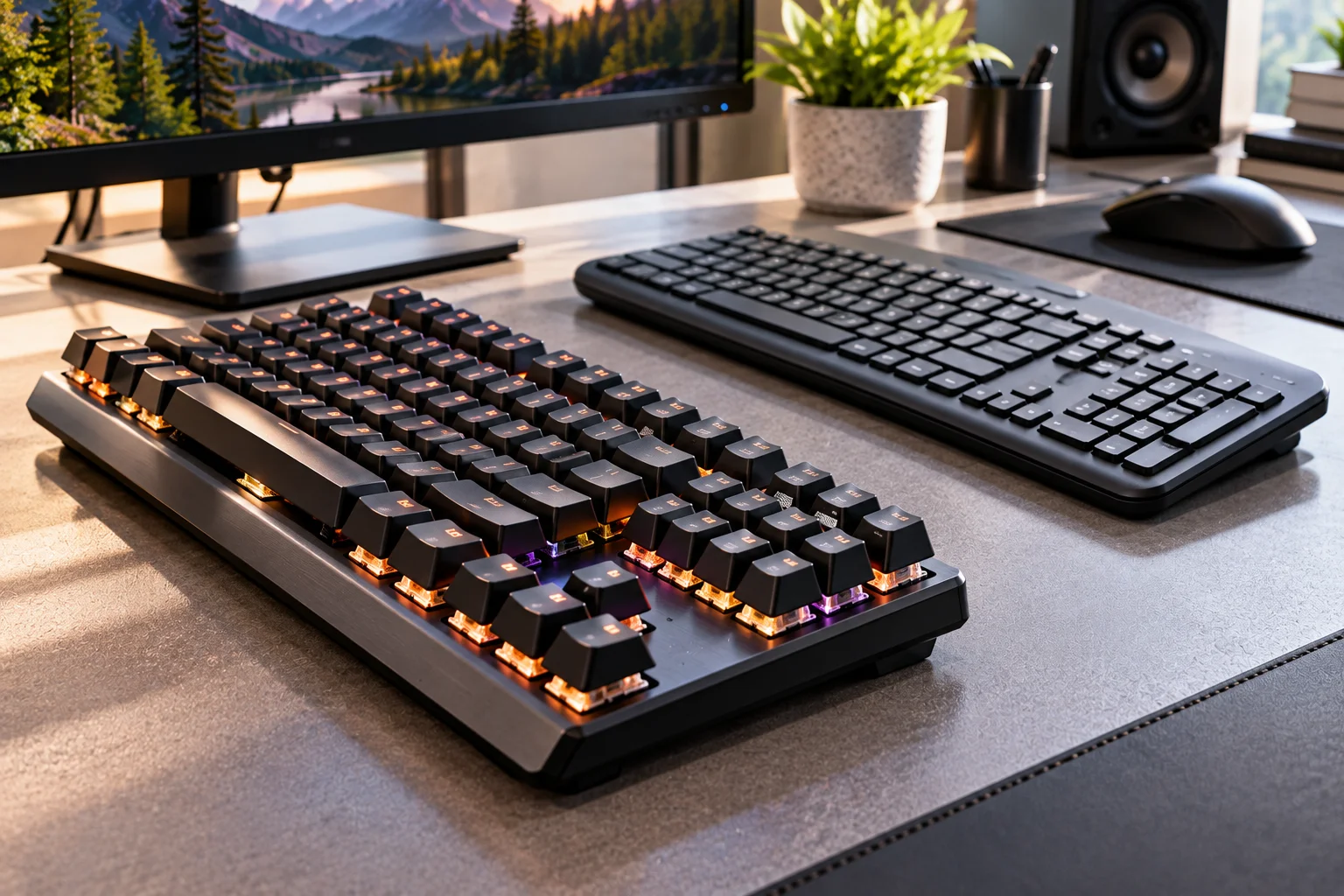
Mechanical keyboards are generally the better choice for heavy typing, gaming and long-term customization, while membrane keyboards make more sense when you want something quiet, affordable and simple.
The difference comes down to what happens underneath each key.
A mechanical keyboard uses an individual switch beneath every key. Depending on the switch, pressing a key can feel smooth, tactile or clicky. A membrane keyboard uses a flexible membrane and rubber domes to register key presses, producing a softer and usually quieter feel.
Neither design is automatically right for everyone.
A mechanical keyboard can be fantastic for an office worker who types thousands of words every week, but an expensive clicky model can be a terrible choice in a shared office. Likewise, a basic membrane keyboard may be perfectly adequate for spreadsheets and email, while a competitive gamer may prefer the consistency and responsiveness of a good mechanical keyboard.
Here's how the two compare where it actually matters.
What Is a Mechanical Keyboard?
A mechanical keyboard uses a separate physical switch underneath each key to detect a press.
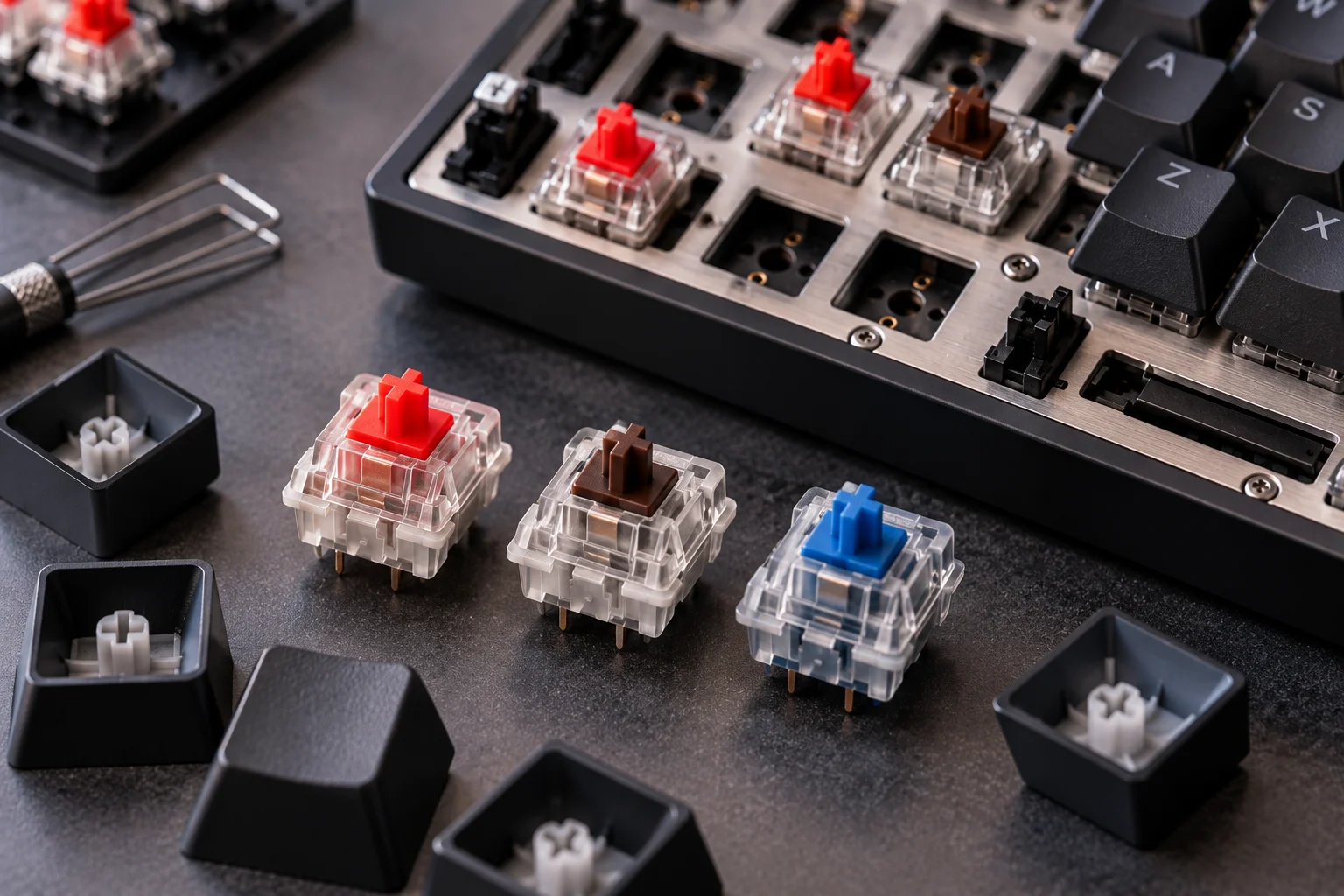
Common mechanical switch types include:
Linear: Smooth key travel with no tactile bump
Tactile: A noticeable bump during the key press
Clicky: Tactile feedback combined with an audible click
The switch changes how the keyboard feels, sounds and responds. Mechanical keyboards can therefore be tailored much more closely to individual preferences than traditional membrane models.
Many mechanical keyboards also allow keycaps to be replaced, and hot-swappable models let you replace compatible switches without soldering.
That makes the keyboard more of a long-term platform than a disposable peripheral.
What Is a Membrane Keyboard?
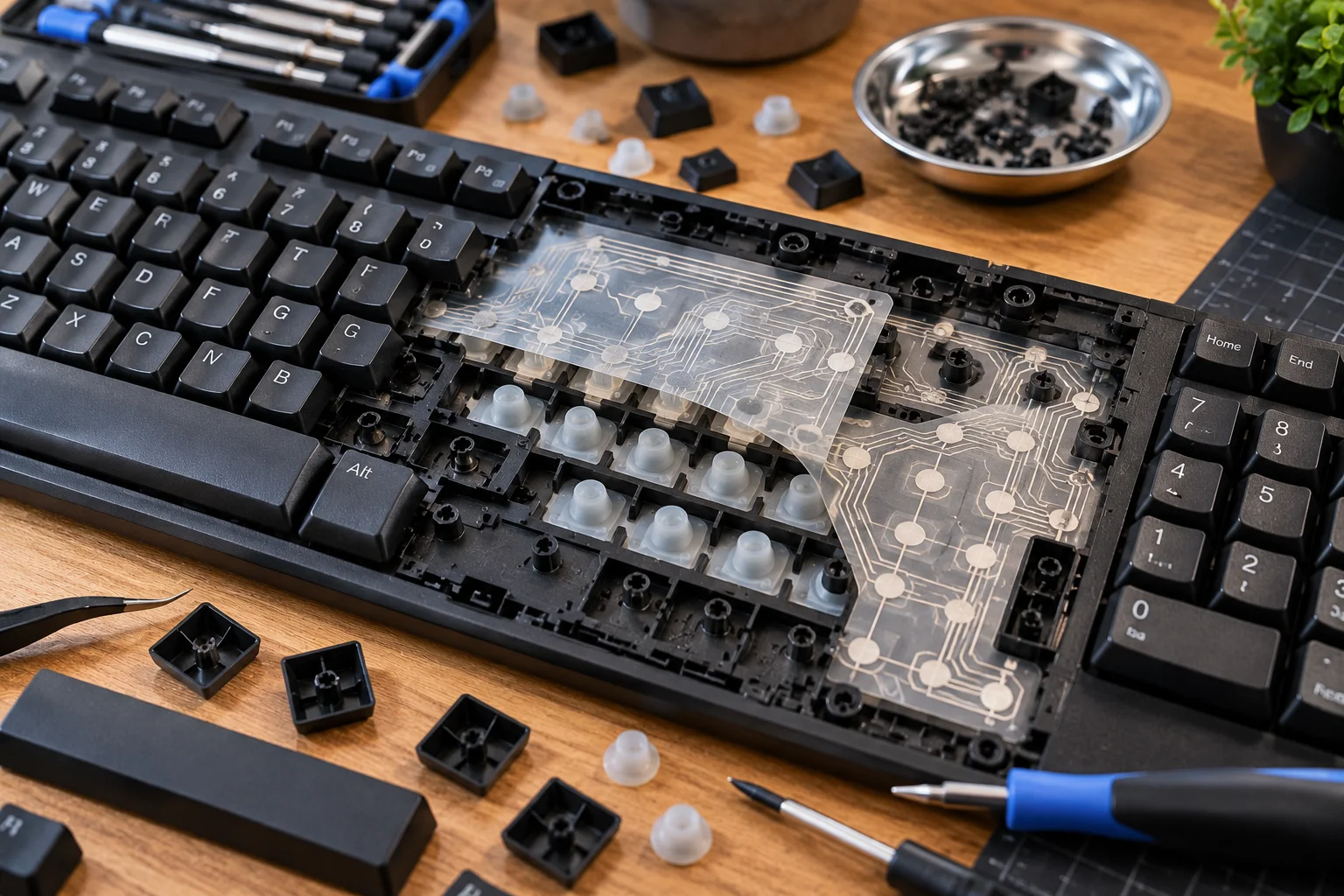
A membrane keyboard uses a flexible membrane layer and rubber domes to register key presses.
When you press a key, the rubber dome collapses and connects the relevant electrical contacts.
The design is relatively simple, inexpensive and quiet.
Membrane keyboards are common in basic office keyboards because most people can start using them immediately without needing to think about switch types, actuation force or keyboard customization. Logitech describes membrane keyboards as a popular choice for everyday tasks such as browsing and email because of their affordability and familiar feel.
The trade-off is that the key feel is usually less precise and less customizable.
Mechanical vs Membrane Keyboards: What's the Difference?
Mechanical keyboards offer more control over typing feel and hardware customization, while membrane keyboards prioritize simplicity, affordability and quieter operation.
Feature | Mechanical | Membrane |
|---|---|---|
Key mechanism | Individual switches | Rubber dome/membrane |
Typing feel | More distinct and customizable | Softer, often less defined |
Noise | Varies from quiet to loud | Usually quieter |
Gaming | Generally better suited | Good for casual gaming |
Durability | Generally higher | Generally lower |
Customization | Extensive on many models | Limited |
Repairability | Better on many models | Usually poor |
Price | Usually higher | Usually lower |
Spill resistance | Depends on model | Often somewhat better, but not universally waterproof |
Switch choices | Linear, tactile, clicky and more | Limited |
Long-term flexibility | High | Low |
The exact experience still depends on the individual keyboard. A poor mechanical keyboard isn't automatically better than a well-designed membrane model.
Which Keyboard Is Better for Typing?
Mechanical keyboards generally provide a more distinct and customizable typing experience, but the best choice depends on the switch and your preferences.
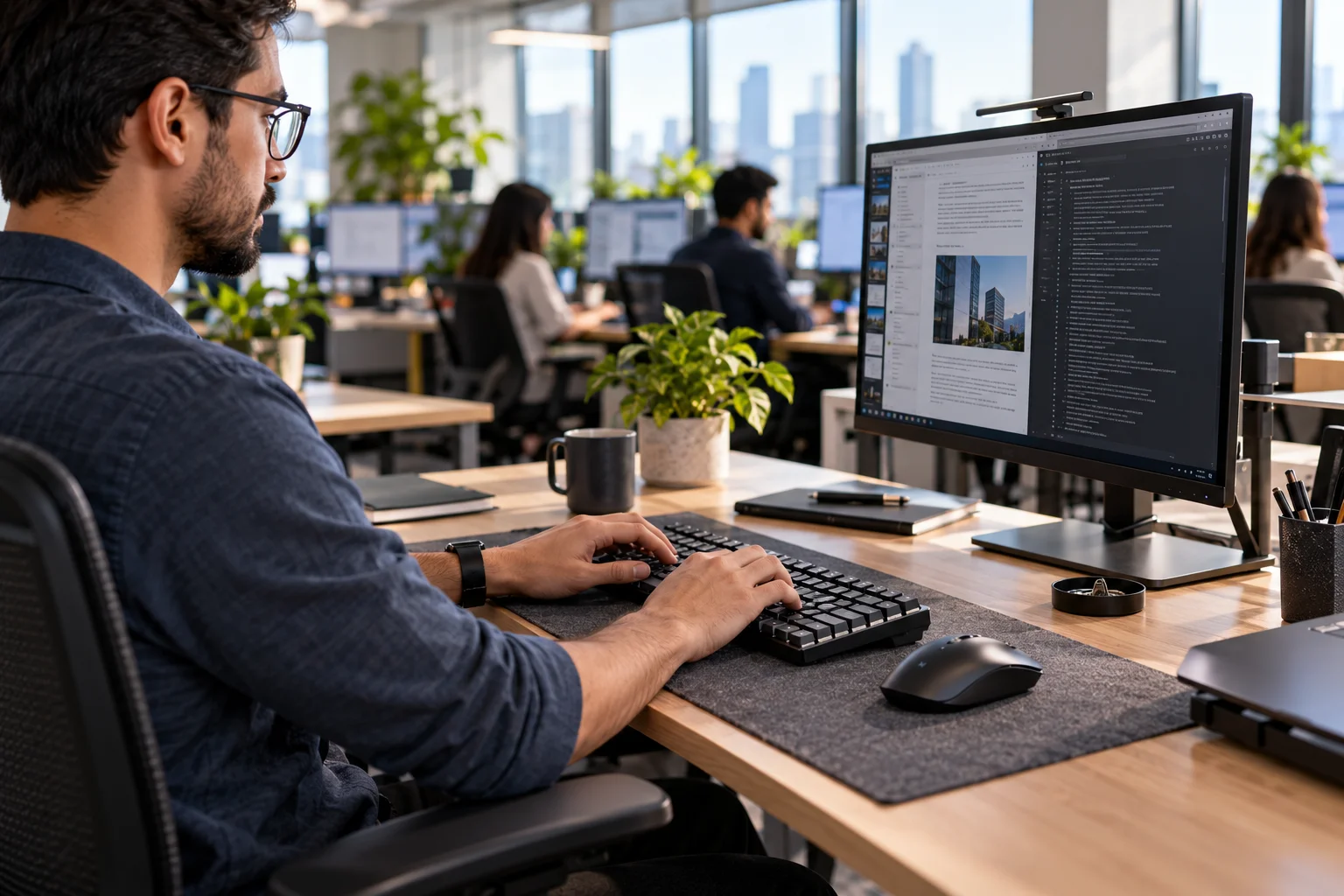
For long writing sessions, the ability to choose a switch that matches your preferred force and feedback can be useful.
A writer who wants a smooth, quiet keystroke might prefer a linear switch with acoustic dampening. Someone who likes physical feedback may prefer a tactile switch.
Clicky switches can be enjoyable, but their sound can become distracting in an office.
Membrane keyboards provide a softer key press and tend to require less experimentation. If you've spent years using standard office keyboards, the transition is also straightforward.
For pure typing comfort, switch type and keyboard ergonomics matter more than simply choosing mechanical over membrane.
Which Is Better for Gaming?
Mechanical keyboards are generally better suited to serious gaming, particularly when responsiveness, key consistency and rollover matter.
Mechanical gaming keyboards commonly offer features such as:
Low-latency input
N-key rollover
Anti-ghosting
Programmable keys
Per-key RGB lighting
Dedicated media controls
Customizable actuation on some advanced switches
RTINGS' current gaming-keyboard testing identifies latency, switch characteristics, build quality and comfort as important factors, while also noting that modern gaming keyboards include mechanical, membrane, Hall-effect and other switch technologies.
But don't assume every mechanical keyboard is automatically faster.
A well-designed membrane gaming keyboard can perform quite well. RTINGS' testing, for example, has found individual membrane gaming models with lower latency than particular mechanical competitors.
So if gaming performance is your priority, look at measured latency and the specific keyboard rather than the switch category alone.
Why Do Gamers Prefer Mechanical Keyboards?
Mechanical switches can provide a more predictable and distinct response, which many gamers prefer for repeated movements and rapid key presses.
Consider a first-person shooter.
You may repeatedly press:
W
A
S
D
Shift
Space
Ctrl
A mechanical switch can give you a clear and consistent actuation point.
Some gaming-oriented mechanical keyboards also use shorter pre-travel or adjustable actuation, allowing a key press to register earlier. Advanced Hall-effect keyboards can take this further by allowing the actuation point to be configured on compatible models.
That doesn't mean mechanical switches magically make you a better player. They simply give you a particular input experience that many competitive players prefer.
Are Mechanical Keyboards Better for Office Work?
They can be, especially if you type heavily, but a quiet membrane keyboard may be more appropriate in a shared workspace.
The biggest issue is noise.
Clicky mechanical switches can produce a pronounced sound with every keystroke. That can become distracting in an open-plan office or during meetings.
However, mechanical doesn't automatically mean loud.
Silent and dampened switches can significantly reduce the sound, and low-profile mechanical keyboards can offer a typing experience closer to laptop-style keyboards.
RTINGS' current office-keyboard guidance specifically highlights noise, ergonomics, keyboard size and connectivity as important considerations for workplace use.
If you work alone, noise may not matter much.
If you're sitting beside ten colleagues, it matters considerably more.
Which Keyboard Is Quieter?
Membrane keyboards are usually quieter, while mechanical keyboards offer a much wider range of sound profiles.
A typical membrane keyboard produces a muted sound.
Mechanical keyboards can range from relatively quiet to extremely loud depending on the switch, case, keycaps and acoustic dampening.
A rough progression is:
Silent mechanical → linear mechanical → tactile mechanical → clicky mechanical
That isn't an absolute rule, but clicky switches are generally the loudest.
If you want mechanical switches for an office, look for silent switches and acoustic dampening rather than assuming every mechanical keyboard will be noisy.
Which One Lasts Longer?
Mechanical keyboards generally have the durability advantage.
Many mechanical switches are rated for approximately 50–100 million keystrokes, although the rating varies by switch and manufacturer.
Traditional membrane keyboards commonly have shorter rated lifespans, with RTINGS noting roughly 5–10 million keystrokes for many models. These figures are estimates rather than guarantees, and overall keyboard construction also affects longevity.
Mechanical keyboards also have another advantage: some can be repaired or modified.
If a hot-swappable switch fails, you may be able to replace the switch rather than replacing the entire keyboard.
Which Is Easier to Customize?
Mechanical keyboards are dramatically more customizable.
Depending on the model, you can change:
Switches
Keycaps
Stabilizers
Dampening materials
Cables
Layout
RGB lighting
Macros
Actuation settings
Hot-swappable keyboards make switch replacement particularly convenient.
Membrane keyboards generally use more proprietary construction, making meaningful modification much harder.
This is one of the biggest reasons mechanical keyboards have developed such a strong enthusiast community.
Which Is More Comfortable?
Comfort depends more on keyboard design, switch force, height and ergonomics than on mechanical versus membrane technology alone.
For long work sessions, consider:
Key travel
Actuation force
Keyboard height
Wrist position
Layout
Wrist rest
Key spacing
Tilt angle
Low-profile keyboards can reduce wrist extension, while taller mechanical keyboards may benefit from a wrist rest. RTINGS highlights keyboard height, wrist rests and ergonomics as important considerations for office use.
If your wrists already feel uncomfortable while typing, changing keyboard type alone may not solve the problem.
Which Is More Affordable?
Membrane keyboards are generally cheaper.
Their simpler construction makes them particularly attractive for:
Basic office computers
School PCs
Shared workstations
Family computers
Temporary setups
Budget gaming systems
Mechanical keyboards span a much wider price range. Basic models can be relatively affordable, while enthusiast and premium gaming keyboards can cost several hundred dollars.
So you don't need to spend heavily just to get a functional keyboard.
Mechanical vs Membrane: Which Should You Choose?
Choose based on how you use the keyboard rather than assuming one technology is universally superior.
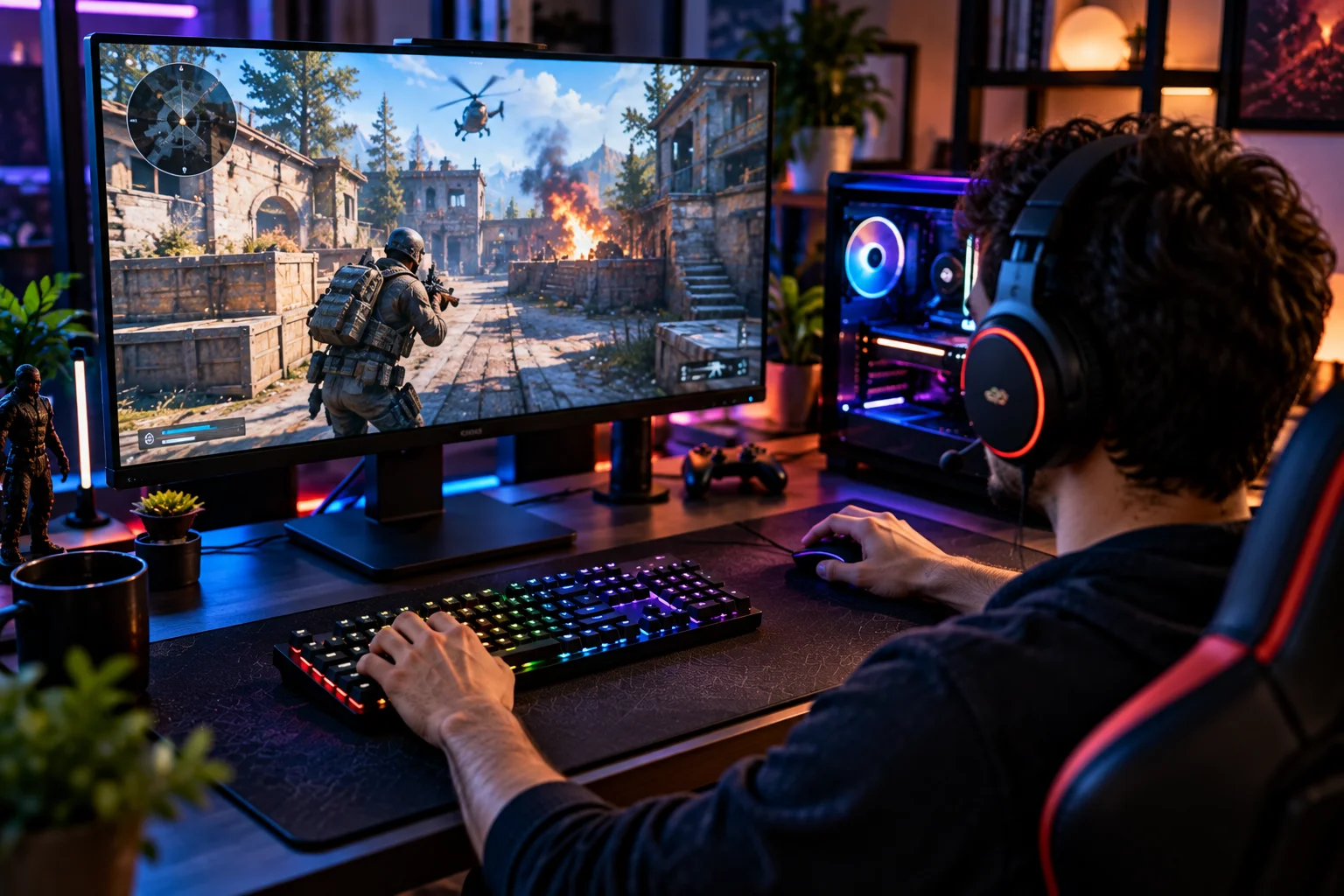
Choose a mechanical keyboard if you:
Type for several hours every day
Play competitive games
Want precise and distinct key feedback
Want switch or keycap customization
Want a keyboard you can repair or modify
Don't mind spending more
Want more choices in typing feel
Choose a membrane keyboard if you:
Mainly use email and office applications
Want a quiet keyboard
Have a limited budget
Share a workspace
Prefer a softer key feel
Want something simple and familiar
Only play games casually
Mechanical vs Membrane for Different Users
User | More suitable starting point |
|---|---|
Office worker | Membrane or quiet mechanical |
Content writer | Mechanical or membrane |
Programmer | Mechanical |
Competitive gamer | Mechanical |
Casual gamer | Either |
Student | Either |
Shared office | Membrane or silent mechanical |
Budget buyer | Membrane |
Keyboard enthusiast | Mechanical |
Heavy typist | Mechanical |
These are starting points rather than rules. Your preferred key feel can easily override them.
FAQs About Mechanical and Membrane Keyboards
Are mechanical keyboards better than membrane keyboards?
Mechanical keyboards generally offer more customization, durability and distinct key feedback. Membrane keyboards are usually cheaper and quieter.
Are mechanical keyboards better for gaming?
They are often preferred for gaming because many models offer responsive switches, rollover features and low latency. However, individual keyboard performance varies, so measured latency matters more than the switch label alone.
Are membrane keyboards good for gaming?
Yes. They're perfectly capable for casual and many mainstream gaming setups. The difference becomes more relevant when responsiveness and competitive performance are priorities.
Are mechanical keyboards too loud for an office?
Not necessarily. Silent mechanical switches and well-dampened keyboards can be relatively quiet. Avoid clicky switches if noise is a concern.
Do mechanical keyboards last longer?
Generally, yes. Mechanical switches often have substantially higher rated keystroke lifespans than traditional membrane designs.
Which keyboard is better for typing?
There isn't one universal answer. Mechanical keyboards provide more options for feel and feedback, while membrane keyboards offer a softer and quieter experience.
The Bottom Line
Mechanical keyboards are the better fit if you care about typing feel, gaming responsiveness, durability and customization. Membrane keyboards remain an excellent choice when affordability, simplicity and low noise matter more.
For a gaming PC, a good mechanical keyboard gives you more options and is usually the direction worth exploring.
For a busy office, a quiet membrane keyboard may actually be the more practical choice. A silent mechanical keyboard can sit somewhere between the two.
And for a work-and-gaming setup, a quiet linear or tactile mechanical keyboard can offer a useful middle ground.
The important point is that “mechanical” isn't synonymous with “better.” A well-designed keyboard with the right latency, ergonomics and switch feel will serve you better than a keyboard chosen purely because of its technology.