HDR can make a movie look dramatically different from standard dynamic range video, with brighter highlights, deeper shadows and a much wider range of visible brightness. But once you start comparing HDR10 vs Dolby Vision vs HDR10+, the differences become less obvious.
That's because all three formats are designed to deliver high-dynamic-range video. The biggest distinction isn't simply "which one has better colors." It's how the HDR signal tells your TV to map the content's brightness and color range to the capabilities of your particular display.
HDR10 uses static metadata, meaning one set of instructions applies to the entire program. Dolby Vision and HDR10+ can use dynamic metadata that changes from scene to scene, allowing the display to make more targeted tone-mapping decisions. Dolby Vision can also support up to 12-bit content, while HDR10 and HDR10+ use 10-bit video.
That sounds like Dolby Vision or HDR10+ should always look better.
It doesn't.
Your TV's brightness, contrast, panel technology, calibration, viewing environment, source quality and the actual HDR master can make a bigger difference than the logo on the streaming app.
What Is HDR10?
HDR10 is the baseline HDR format used across TVs, streaming, Ultra HD Blu-ray and other HDR devices.
HDR10 uses:
10-bit color
PQ (Perceptual Quantizer) transfer characteristics
Static HDR metadata
Wide color gamut
HDR content mastered for substantially higher brightness than SDR
The key word is static.
HDR10 provides the display with metadata describing characteristics of the HDR program, including maximum and average light-level information. That information is calculated for the program and then remains the same throughout playback.
Think of it as giving the TV one set of instructions:
"This is how bright and dark this entire movie is."
The TV then has to use that information when mapping the movie's brightness into what its panel can actually reproduce.
For a TV capable of displaying the full brightness range of the master, that's less of a problem.
For a TV with substantially lower peak brightness, tone mapping becomes much more important.
What Is Dolby Vision?
Dolby Vision is a dynamic HDR format that can provide scene-specific metadata and supports up to 12-bit video.
Instead of treating the entire movie as one HDR brightness profile, Dolby Vision can provide additional information that changes throughout the program.
That gives the display more guidance about how individual scenes should be mapped.
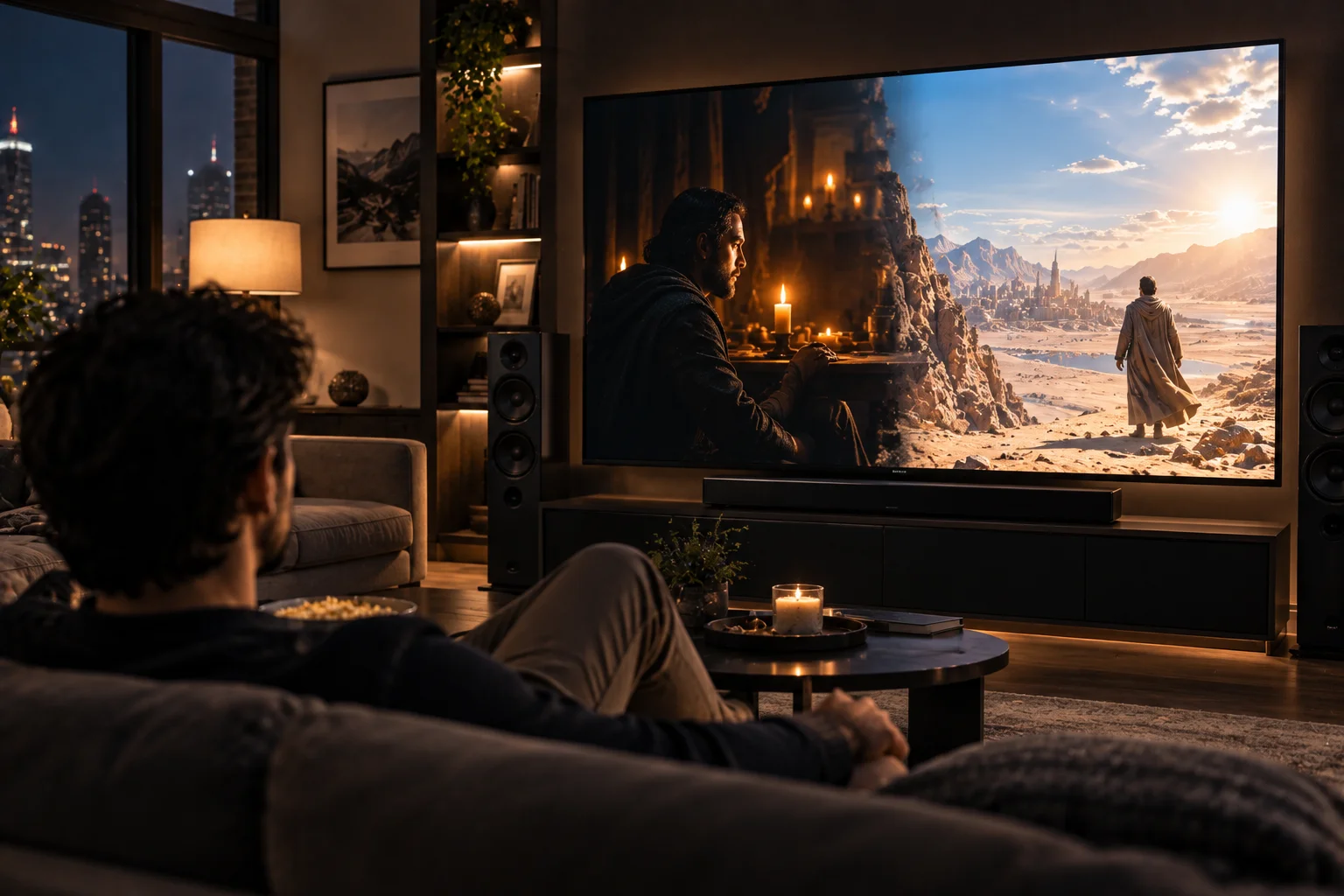
Imagine a movie that suddenly cuts between:
A dark room lit by a candle
A bright desert landscape
A night-time city
An explosion with extremely bright highlights
Those scenes have very different brightness distributions.
With static HDR10 metadata, the display receives one overall set of instructions for the program.
With Dolby Vision's dynamic metadata, the HDR system can make scene-specific adjustments. Dolby describes this as allowing content to be optimized for different display capabilities on a scene-by-scene basis.
Dolby Vision also supports up to 12-bit color, although the actual capabilities depend on the content and playback chain.
What Is HDR10+?
HDR10+ takes the HDR10 foundation and adds dynamic metadata.
That's the simplest way to understand it.
HDR10:
10-bit + static metadata
HDR10+:
10-bit + dynamic metadata
The additional metadata can provide scene-by-scene or, in some applications, frame-by-frame instructions for brightness, contrast and color-volume processing.
This allows a compatible TV to adjust its tone-mapping behavior according to what's actually happening in the current scene.
For example, imagine a movie containing a very bright outdoor scene followed immediately by a dark interior.
HDR10+ can provide separate guidance for those scenes rather than forcing both through one global tone-mapping profile.
That's the central reason HDR10+ exists.
HDR10 vs Dolby Vision vs HDR10+: What's the Technical Difference?
HDR10 uses static metadata, while Dolby Vision and HDR10+ can use dynamic metadata; Dolby Vision additionally supports up to 12-bit video, while HDR10 and HDR10+ use 10-bit video.
Feature | HDR10 | HDR10+ | Dolby Vision |
|---|---|---|---|
HDR | Yes | Yes | Yes |
Bit depth | 10-bit | 10-bit | Up to 12-bit |
Metadata | Static | Dynamic | Dynamic |
Scene-by-scene optimization | No | Yes | Yes |
Frame-by-frame capability | No | Yes, depending on implementation | Yes, depending on implementation |
Backward compatibility | Baseline | Falls back to HDR10 | Can fall back depending on implementation |
Licensing model | Open | Royalty-free | Licensed |
Typical use | Very widespread | Growing | Very widespread |
Dolby describes HDR10 as the baseline HDR format and notes that HDR10+ adds dynamic metadata while retaining 10-bit color.
HDR10+ is also explicitly backward compatible with HDR10. An HDR10-only display can play HDR10+ content using the underlying HDR10 portion of the signal.
What Does Dynamic Metadata Actually Change on Your TV?
Dynamic metadata mainly changes how the TV maps the content's brightness and color information to the limits of its own display.
This is where the difference becomes practical.
Suppose a movie was mastered with highlights reaching far beyond what your TV can produce.
The TV has to compress that brightness range.
This process is called tone mapping.
The problem is that there isn't one perfect tone-mapping curve for every scene.
A dark scene might benefit from preserving subtle shadow detail.
A bright outdoor scene might need to prioritize highlight detail.
A scene containing both extremely dark and extremely bright areas presents another challenge.
HDR10+ describes this as the difference between applying a single tone-mapping curve to the entire program and using dynamic curves based on individual scenes.
That's what the additional metadata is doing.
It isn't adding brightness that your TV physically cannot produce.
It's helping the TV decide where to spend its available brightness range.
Does Dolby Vision Make a TV Brighter?
Not necessarily. Dolby Vision cannot make a TV physically produce more light than its hardware allows.

This is an important distinction.
Suppose TV A can reach 1,000 nits and TV B can reach 2,500 nits.
Putting Dolby Vision on TV A doesn't turn it into a 2,500-nit display.
The format can provide better information for tone mapping, but the panel's physical capabilities remain the limiting factor.
Dolby itself describes tone mapping as the process of optimizing HDR content to fit the brightness and color capabilities of the playback device.
So when you see claims about HDR formats supporting 4,000 or 10,000 nits, don't confuse the format's supported range with the peak brightness of the television you're watching.
Why Does TV Brightness Matter So Much for HDR?
A brighter TV has more headroom for reproducing bright HDR highlights, while a less-bright display has to compress more of the source's dynamic range.
Consider a scene containing:
A dark building
A person standing in the doorway
Bright sunlight outside
Reflections on a car
Small specular highlights
A high-end TV with substantial peak brightness may reproduce more of those differences directly.
A dimmer display has to compress them.
That's where tone mapping becomes critical.
Dynamic metadata can help the TV make more appropriate compromises for each scene.
But it can't overcome the fundamental limitations of the panel.
Is Dolby Vision Better Than HDR10?
Dolby Vision can provide more sophisticated HDR signaling than baseline HDR10, but that doesn't mean every Dolby Vision presentation will visibly outperform every HDR10 presentation.
The actual picture depends on:
TV brightness
Contrast
Black level
Local dimming
OLED or LCD technology
Calibration
HDR mastering
Streaming bitrate
Content grade
Playback device
Room lighting
Dolby Vision's dynamic metadata can be useful when the display needs to make significant tone-mapping compromises.
But if you're watching excellent HDR10 content on a high-quality display that handles HDR10 very well, the difference may be subtle.
The format doesn't exist in isolation.
Is HDR10+ Better Than HDR10?
HDR10+ gives the display more information than HDR10 by adding dynamic metadata, particularly benefiting content with large changes in brightness from scene to scene.
The advantage is easiest to understand with a movie containing highly varied scenes.
HDR10 uses one static metadata set for the program.
HDR10+ can provide different instructions for individual scenes, allowing the display to adapt its tone mapping.
That can help preserve:
Shadow detail
Highlight detail
Midtone brightness
Contrast relationships
The intended balance of bright and dark elements
But again, the display has to support HDR10+ to use that extra information.
An HDR10-only TV simply treats HDR10+ content as HDR10.
Can You Actually See the Difference Between HDR10 and Dolby Vision?
Sometimes the difference is obvious, but sometimes it is surprisingly difficult to see.

The difference becomes more noticeable when the TV has limited brightness relative to the HDR master and the scene contains difficult combinations of bright highlights and dark areas.
For example, imagine:
Scene A: A relatively evenly lit room.
Scene B: A dark room containing a bright window and small bright lights.
Scene B creates a much harder tone-mapping problem.
Dynamic metadata has more opportunity to influence the result because the TV needs to balance very different brightness levels within the scene.
In a well-mastered HDR scene that already fits comfortably within the display's capabilities, there may be much less for the dynamic format to correct.
Does HDR10+ Work on an HDR10 TV?
Yes, but the TV will use the HDR10 portion rather than the HDR10+ dynamic enhancements.
HDR10+ is backward compatible with HDR10.
That means content doesn't necessarily need a completely separate HDR10 version just because some devices don't support HDR10+.
If your TV only understands HDR10:
HDR10+ content → HDR10 playback
If your TV supports HDR10+:
HDR10+ content → HDR10 base layer + dynamic metadata
That's useful because it allows HDR10+ content to reach a broader range of displays.
What Happens if a TV Supports Dolby Vision but the Content Is Only HDR10?
The TV will normally display the HDR10 version rather than creating genuine Dolby Vision information that wasn't included in the source.
This is another common misunderstanding.
A Dolby Vision-compatible television doesn't automatically turn every HDR10 movie into native Dolby Vision.
The content itself has to be mastered and distributed in Dolby Vision.
The same principle applies to HDR10+.
A television supporting the format is only one part of the chain.
You need:
Compatible content + compatible playback device + compatible TV.
Dolby explicitly points out that every part of the playback chain needs to support Dolby Vision for you to actually receive Dolby Vision content.
Which Streaming Services Support Dolby Vision and HDR10+?
Format availability varies by service, title, region and subscription tier, so the HDR badge attached to a specific title is more useful than assuming an entire service uses one format.
Dolby currently lists Dolby Vision availability across services including Netflix, Disney+ and Apple TV+, among others.
HDR10+ has also expanded across major streaming services. The HDR10+ organization currently lists services including Apple TV, Disney+, Hulu, Netflix and Prime Video within its ecosystem.
But support can vary by title.
A service can offer:
SDR
HDR10
HDR10+
Dolby Vision
depending on the individual title and playback device.
That's why the HDR badge shown on the title page is often the quickest way to determine what you'll actually receive.
What About HDR10+ ADVANCED?
HDR10+ ADVANCED is a newer extension of HDR10+ that adds additional dynamic metadata capabilities beyond standard scene-by-scene tone mapping.
This is particularly relevant in 2026 because HDR10+ has moved beyond its original dynamic-metadata feature set.
HDR10+ ADVANCED adds capabilities including:
Enhanced overall brightness information
Dynamic local tone mapping
Intelligent motion smoothing
Content or genre-specific optimization
More advanced color-control information
Additional gaming and cloud-gaming capabilities
The HDR10+ organization says the advanced version extends standard HDR10+ with more granular metadata for brightness, motion and scene processing.
The important point for buyers is that HDR10+ and HDR10+ ADVANCED shouldn't be treated as the same specification.
Standard HDR10+ already provides dynamic metadata.
HDR10+ ADVANCED builds additional metadata tools on top of that foundation.
Does HDR10+ ADVANCED Mean You Need a New TV?
Only if you want to take advantage of the additional features and your current TV doesn't support them.
The HDR10+ ecosystem is designed around backward compatibility.
HDR10+ ADVANCED content can still be displayed by compatible HDR10+ and HDR10 devices according to their capabilities.
So the arrival of newer HDR standards doesn't automatically make existing HDR televisions obsolete.
Your current TV can continue playing the base HDR format it supports.
The newer metadata simply provides additional information to displays capable of using it.
HDR10 vs Dolby Vision vs HDR10+: What Should You Look For When Buying a TV?
Don't choose a TV based on the HDR logo alone. Panel performance is at least as important as format support.
A good HDR television should ideally have:
High peak brightness
Strong native contrast
Good black levels
Effective local dimming on LCD TVs
Accurate HDR tone mapping
Wide color gamut
Good HDR calibration
Low blooming where applicable
Strong processing
Support for the HDR formats you actually use
For an OLED TV, the extremely low black level provides a strong foundation for HDR.
For a high-end Mini-LED LCD, very high peak brightness can make bright HDR highlights particularly impressive.
Neither display type automatically wins every HDR scenario.
The underlying panel still matters.
HDR10 vs Dolby Vision vs HDR10+: Which Format Matters Most?
Compatibility with your content and TV matters more than choosing a format in isolation.
If your streaming service, TV and player all support Dolby Vision, you can take advantage of Dolby Vision content.
If your TV supports HDR10+ and you watch a lot of HDR10+ titles, its dynamic metadata can improve tone mapping compared with basic HDR10.
But HDR10 remains extremely important because it is the common baseline.
Even TVs that support Dolby Vision or HDR10+ generally retain HDR10 compatibility, and HDR10+ content itself can fall back to HDR10.
This makes HDR10 less of a "budget HDR format" and more of a foundational compatibility layer.
What Actually Changes When You Watch HDR Content?
The most important visible change isn't the HDR logo itself; it's how effectively the display maps the HDR master into the brightness, contrast and color range it can actually reproduce.
Think about the three formats this way:
HDR10
One set of instructions for the whole program.
Simple, widely supported and effective, but less adaptive.
HDR10+
Dynamic instructions that can change from scene to scene or frame to frame.
The display gets more information about how each scene should be mapped.
Dolby Vision
A dynamic HDR system with additional capabilities including up to 12-bit content and scene-specific metadata.
It can provide more detailed guidance to compatible displays about how to reproduce the HDR master.
The actual difference you see depends on whether your TV can take advantage of that information.
The Bottom Line: HDR10 vs Dolby Vision vs HDR10+
HDR10, HDR10+ and Dolby Vision all deliver HDR, but they differ primarily in how they communicate and manage HDR brightness and color information.
HDR10 is the universal baseline, using 10-bit video and static metadata.
HDR10+ adds dynamic metadata, allowing compatible displays to adjust tone mapping from scene to scene or, in certain applications, frame by frame.
Dolby Vision adds dynamic metadata and supports up to 12-bit video, although the actual content and display capabilities determine what is ultimately used.
So if you're wondering what you'll actually notice:
HDR10: A major improvement over SDR.
HDR10+: Potentially better scene-by-scene tone mapping, particularly on displays that need to compress the HDR range.
Dolby Vision: Similar dynamic-metadata advantage, with additional format capabilities and a broad ecosystem of supported content and devices.
But the biggest mistake is assuming that Dolby Vision automatically looks better than HDR10+ or that HDR10+ automatically looks better than HDR10.
A well-mastered HDR10 movie on a bright, well-calibrated TV can look fantastic.
A poorly mastered Dolby Vision title on a mediocre display won't magically become spectacular because the Dolby Vision logo appears on the screen.
The format is part of the equation.
The TV, HDR master, playback chain and viewing environment complete it.
FAQs
Is HDR10 better than SDR?
Yes. HDR10 expands the range of brightness and color information compared with SDR and is the baseline HDR format supported by modern HDR-capable displays.
Is Dolby Vision better than HDR10?
Dolby Vision provides dynamic metadata and can support higher bit depth than HDR10, giving compatible displays more information for HDR reproduction. However, the visible difference depends on the content and display.
Is HDR10+ the same as Dolby Vision?
No. They are competing dynamic HDR formats. Both can use dynamic metadata, but they have different specifications, ecosystems and licensing models.
Does HDR10+ have better picture quality than HDR10?
It can provide better tone-mapping guidance because it supplies dynamic metadata rather than one static metadata set for the entire program.
Does HDR10+ work on an HDR10 TV?
Yes. HDR10+ is backward compatible with HDR10. An HDR10-only TV will play the underlying HDR10 version without using the HDR10+ dynamic enhancements.
Does Dolby Vision make a TV brighter?
No. Dolby Vision cannot increase the physical peak brightness capability of a television. It can help the display map HDR content to its available brightness range.
Does a 4K TV automatically support Dolby Vision?
No. 4K resolution and Dolby Vision are separate capabilities. A television can support 4K HDR10 without supporting Dolby Vision.
Can the same movie look different in HDR10 and Dolby Vision?
Yes. Different HDR formats can use different metadata and tone-mapping instructions, and the television may process those signals differently.
Is HDR10+ worth having?
It can be useful if your TV and streaming sources support it. Its dynamic metadata gives compatible displays more scene-specific information for tone mapping.
Which is more important, HDR format or TV brightness?
Both matter, but a TV's actual panel performance is critical. A dynamic HDR format cannot overcome a display's physical brightness and contrast limitations.
Do I need Dolby Vision if my TV already supports HDR10?
Not necessarily. HDR10 remains a widely supported HDR format. Dolby Vision becomes more relevant if you watch content mastered in Dolby Vision and your TV and playback equipment support it.